
Summary
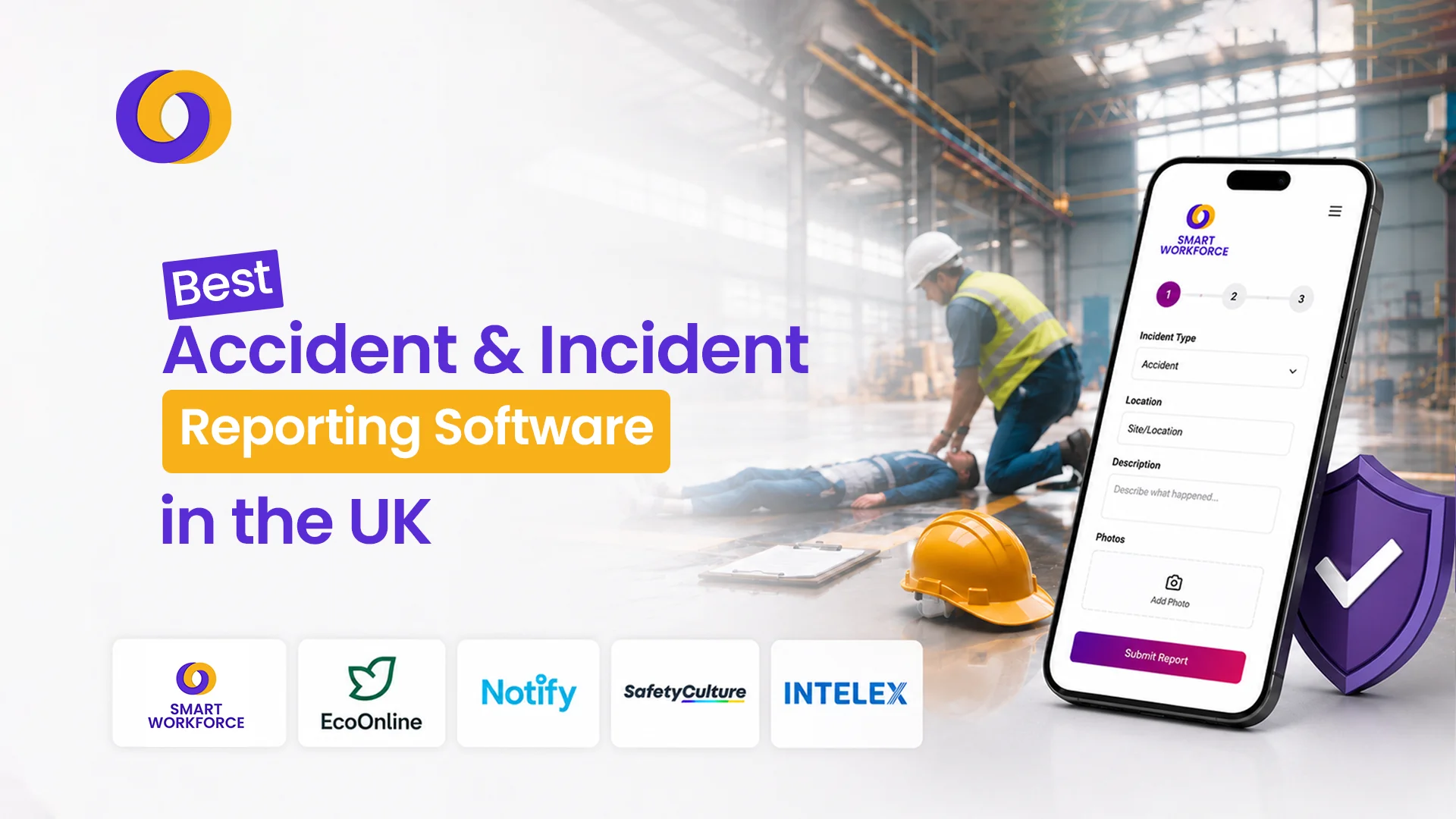
- Incident reporting software digitises paper-based safety logs. It replaces manual forms with mobile-first data capture, automated workflows, and real-time dashboards.
- RIDDOR compliance is a critical differentiator. UK workplaces need pre-built templates that align with HSE reporting requirements.
- Mobile-first design is now essential. Workers need to report accidents and near-misses from the scene using smartphones, even offline.
- Integration with workforce management. The best tools connect incident data with HR, payroll, and scheduling for complete visibility.
- Near-miss tracking is as important as accident reporting. Capturing close calls helps prevent serious incidents before they happen.
A worker falls from a ladder. A forklift collides with racking. A chemical spill goes unreported for three hours.
Each scenario represents a failure in incident reporting and a missed opportunity to prevent the next accident.
In UK workplaces, accurate incident and accident reporting isn’t just good practice. It’s a legal requirement. The Reporting of Injuries, Diseases and Dangerous Occurrences Regulations (RIDDOR) 2013 requires employers to report specific workplace incidents to the Health and Safety Executive (HSE). Failure to comply can result in fines, enforcement action, and reputational damage.
Yet many organisations still rely on paper forms, spreadsheets, or generic email chains to capture incident data. These methods are slow, error-prone, and provide no real-time visibility.
Incident reporting software solves this. It digitises the entire process. From reporting through investigation to corrective action, providing real-time visibility, audit trails, and actionable insights.
This guide compares the 10 best accident and incident reporting software that UK businesses rely on in 2026.
What Is Incident Reporting Software?
Incident reporting software (also called accident reporting software or incident management software) is a digital tool that helps organisations log, track, investigate, and manage workplace incidents, accidents, near-misses, and hazards.
A comprehensive health and safety reporting software platform typically includes:
- Mobile-first reporting
Workers capture incidents at the scene using smartphones, even offline.
- Standardised forms
Pre-built templates for accidents, near-misses, property damage, and hazards.
- Investigation tools
Root cause analysis, 5-why, fishbone diagrams, and corrective action tracking.
- Real-time dashboards
Managers see incident trends, open actions, and compliance status.
- Automated notifications
Relevant parties are alerted immediately when an incident is reported.
- RIDDOR compliance
Pre-built templates aligned with HSE reporting requirements.
Why UK Businesses Need Accident Reporting Software
| Benefit | Why It Matters |
| RIDDOR compliance | Automated forms and reminders ensure you report reportable incidents on time |
| Real-time visibility | Managers see incidents as they happen—not days later |
| Near-miss capture | Identifying close calls prevents serious incidents |
| Audit trails | Complete, timestamped records for HSE inspections |
| Action tracking | Corrective measures assigned and tracked to closure |
| Trend analysis | Identify patterns: which sites, shifts, or processes have recurring issues |
| Legal defence | Evidence of due diligence in case of claims |
10 Best Accident and Incident Reporting Software for UK Workplaces
From RIDDOR-compliant templates to AI-powered investigations, these 10 solutions help UK businesses digitise safety reporting, capture near-misses, and maintain audit-ready records.
Whether you need mobile-first frontline reporting or enterprise-grade EHS platforms, this list covers the best options for workplaces of every size and sector.
1. Smart Workforce
Best for: UK-regulated workplaces needing pre-built RIDDOR templates, CDM 2015 alignment, and fast modular deployment
Overview: Smart Workforce is an all-in-one workforce management platform that includes incident and accident reporting alongside scheduling, time and attendance, lone worker safety, and BS7858 staff vetting. Purpose-built for UK security, care, construction, and service sector employers.
Key Features:
- Pre-built RIDDOR templates: Aligned with HSE reporting requirements for accidents, injuries, and dangerous occurrences.
- Mobile incident reporting: Workers capture accidents and near-misses from the scene using smartphones, even offline.
- Photo and video evidence capture: Document scene conditions at the point of reporting.
- Investigation workflows: Root cause analysis, corrective action tracking, and automated escalation.
- Integration with workforce management: Incident data linked to employee records, attendance, and scheduling.
- Real-time dashboards: Managers see incident trends, open actions, and compliance status.
- Lone worker safety: Automated check-ins and panic alerts integrated with incident reporting.
Pros: All-in-one platform; purpose-built for UK compliance; RIDDOR and CDM 2015 alignment; real-time visibility; UK-based support; integrates incident data with workforce management.
Cons: Specialised for security, care, and service sectors; may include features office-based teams don’t need.
Pricing: Tailored subscription based on selected modules (incident reporting, scheduling, attendance, BS7858 vetting). Free demo available.
Rating: 4.8/5
2. SafetyCulture(iAuditor)
Best for: Mobile-first frontline reporting, QR-code near-miss capture, and checklist-heavy daily audits
Overview: SafetyCulture (formerly iAuditor) is a mobile-first inspection and incident reporting platform used by frontline workers globally. It enables QR-code near-miss capture, checklist-driven audits, and real-time reporting.
Key Features:
- Mobile-first reporting: Workers capture incidents, hazards, and near-misses from any device.
- QR code checkpoints: Staff report incidents and safety concerns by scanning location-specific QR codes.
- Customisable forms: Build incident, hazard, and near-miss forms to match your processes.
- Offline capability: Report incidents without internet; data syncs when connected.
- Photo and evidence capture: Document scene conditions at the point of reporting.
- Dashboard and reporting: Real-time visibility of incidents, actions, and compliance status.
Pros: Excellent mobile experience; QR-code near-miss capture; works offline; easy to deploy; strong for construction and field environments.
Cons: Less comprehensive investigation workflows than dedicated EHS platforms; integration options more limited.
Pricing: Free tier available; paid plans from £10-25 per user monthly.
Rating: 4.7/5
3. Notify Technology
Best for: Modern UK platform offering speech-to-text reporting, offline mobile apps, and Spark AI investigation tools
Overview: Notify Technology is a UK-developed incident management platform designed for frontline workers. It offers speech-to-text reporting, offline mobile apps, and Spark AI investigation tools to streamline incident capture and analysis.
Key Features:
- Speech-to-text reporting: Workers can dictate incident reports in real time.
- Offline mobile app: Reports incidents without internet and syncs when connected.
- Spark AI investigation tools: AI-powered analysis to identify patterns and root causes.
- Customisable forms: Build incident, hazard, and near-miss forms to match your processes.
- Real-time notifications: Managers receive immediate alerts when incidents are reported.
Pros: Speech-to-text reduces reporting barriers; AI-powered investigations; UK-developed; good for mobile-first workforces.
Cons: Newer platform with less track record than established competitors; limited integration options.
Pricing: Contact provider for custom quote.
Rating: 4.5/5
4. EcoOnline
Best for: Combining hazardous substance tracking (COSHH) with workplace safety event logs
Overview: EcoOnline is a comprehensive EHS platform that combines incident reporting with hazardous substance tracking (COSHH), risk assessments, and compliance management.
Key Features:
- Incident and near-miss reporting: Capture incidents on any device and upload images and location data.
- COSHH management: Track hazardous substances alongside safety event logs.
- Investigation management: Detailed investigation elements to establish patterns and underlying root causes.
- Action tracking: Assign corrective measures instantly.
- Dashboards and analytics: In-depth oversight at every stage of reporting and investigation.
- 90+ language support: Accurate recording and translation across multilingual workforces.
Pros: Strong for hazardous industries; combines incident reporting with COSHH; good for complex investigations; 90+ language support.
Cons: May be more complex than simpler incident-only tools; pricing requires custom quote.
Pricing: Contact provider for custom quote.
Rating: 4.5/5
5. Intelex EHSQ
Best for: Large enterprises requiring deep configuration, body mapping, and centralised root-cause analysis
Overview: Intelex is a comprehensive EHSQ (Environment, Health, Safety, and Quality) platform designed for large enterprises. It offers deep configuration, body mapping, and centralised root-cause analysis capabilities.
Key Features:
- Deep configuration: Customisable to match complex enterprise workflows.
- Body mapping: Visual representation of injuries on a human figure.
- Centralised root-cause analysis: Standardised investigation across sites and business units.
- Enterprise workflows: Standardised reporting, investigation, and corrective action across sites.
- Mobile engagement: Field workers report incidents and hazards via mobile, online or offline.
- Compliance & audits: Track ISO 14001, ISO 45001, and ISO 9001 compliance.
Pros: Best-in-class for large enterprises; deep customisation; strong for multi-site operations; centralised root-cause analysis.
Cons: Complex implementation; expensive; likely overkill for SMEs.
Pricing: Custom enterprise pricing.
Rating: 4.4/5
6. Cority
Best for: Multi-site industrial governance backed by board-level reporting analytics and Cortex AI assistance
Overview: Cority is a comprehensive EHS incident management platform with complete visibility for capturing incidents, identifying root causes, and tracking corrective actions.
Key Features:
- Complete visibility: Capture incidents, identify root causes, and track corrective actions.
- Enterprise workflows: Standardised reporting, investigation, and corrective action across sites.
- Mobile engagement: Report incidents in the field via mobile app, online or offline, with guided steps for hazard identification.
- Cortex AI assistance: AI-powered insights and recommendations.
- Task management: Assign, track, and escalate tasks across sites from one dashboard with automated notifications.
- Risk management: Automate risk identification, scoring, and prioritisation using pre-built validated methods.
Pros: AI-powered insights; strong for multi-site industrial governance; board-level reporting analytics; comprehensive incident workflows.
Cons: Complex implementation; expensive; may be overkill for smaller operations.
Pricing: Custom enterprise pricing.
Rating: 4.3/5
7. VelocityEHS
Best for: Mid-market environment, health, and safety tool featuring flexible offline mobile forms and custom safety analytics
Overview: VelocityEHS is a mid-market EHS platform with flexible offline mobile forms and custom safety analytics. It’s designed for organisations that need comprehensive incident reporting without enterprise-level complexity.
Key Features:
- Flexible offline mobile forms: Report incidents without internet—data syncs when connected.
- Custom safety analytics: Tailored dashboards and reports.
- Incident and near-miss tracking: Comprehensive capture and investigation workflows.
- Corrective action management: Track actions to closure.
- Compliance reporting: Pre-built templates for regulatory reporting.
Pros: Good for mid-market; flexible mobile forms; strong analytics; easier to implement than enterprise platforms.
Cons: Less comprehensive than Cority or Intelex for large enterprises; custom pricing.
Pricing: Contact provider for custom quote.
Rating: 4.2/5
8. Evotix
Best for: User-friendly option for engaging frontline workers in safety observations and corrective action tracking across mid-sized businesses
Overview: Evotix is a user-friendly EHS platform designed to engage frontline workers in safety observations and corrective action tracking. It’s ideal for mid-sized businesses that need incident reporting without complexity.
Key Features:
- Safety observations: Workers capture observations and hazards in real time.
- Incident and near-miss reporting: Comprehensive capture and investigation workflows.
- Corrective action tracking: Assign and track actions to closure.
- Engagement tools: Designed to encourage frontline participation.
- Dashboards and reporting: Real-time visibility of incidents and actions.
Pros: Very user-friendly; good for frontline engagement; strong for mid-sized businesses; easier to implement than enterprise platforms.
Cons: Less comprehensive than Cority or Intelex for large enterprises; custom pricing.
Pricing: Contact provider for custom quote.
Rating: 4.2/5
9. Vatix
Best for: Lone worker safety integration alongside real-time incident notifications and streamlined hazard reporting
Overview: Vatix is a UK-based platform that integrates lone worker safety with incident reporting. It offers real-time incident notifications and streamlined hazard reporting for organisations with lone or remote workers.
Key Features:
- Lone worker safety integration: Panic alerts and check-ins integrated with incident reporting.
- Real-time incident notifications: Managers receive immediate alerts when incidents are reported.
- Streamlined hazard reporting: Workers report hazards quickly from mobile devices.
- Dashboard and reporting: Real-time visibility of incidents and lone worker status.
Pros: Purpose-built for lone worker safety; real-time notifications; UK-based; good for remote teams.
Cons: More specialised for lone worker-focused operations; may have limited features for general incident reporting.
Pricing: Contact provider for custom quote.
Rating: 4.3/5
10. Safesite
Best for: Free-to-use incident reporting and observation management for small teams
Overview: Safesite is a free-to-use incident reporting and observation management platform designed for frontline workers. It’s ideal for small teams and construction sites that need basic incident capture without significant investment.
Key Features:
- Incident and near-miss reporting: Capture incidents from mobile devices.
- Safety observations: Workers log observations and hazards.
- Real-time dashboards: Managers see incidents and actions.
- Corrective action tracking: Assign and track actions to closure.
- Free tier: No cost for basic incident reporting.
Pros: Free; easy to use; good for small teams; strong for construction and frontline workers.
Cons: Limited features compared to paid platforms; less comprehensive investigation workflows; no RIDDOR-specific templates.
Pricing: Free basic tier; paid plans for advanced features.
Rating: 4.3/5
Comparison Table: 10 Incident Reporting Software
| Software | Best For | Key Differentiator | Mobile App | RIDDOR Templates | Rating |
| Smart Workforce | UK-regulated workplaces | All-in-one + RIDDOR + workforce management | Yes | Yes | 4.8/5 |
| SafetyCulture | Mobile-first frontline | QR-code near-miss capture | Yes | Limited | 4.7/5 |
| Notify Technology | Speech-to-text reporting | AI-powered investigations | Yes | Yes | 4.5/5 |
| EcoOnline | Hazardous substance tracking | COSHH integration | Yes | Yes | 4.5/5 |
| Intelex EHSQ | Large enterprises | Deep configuration + body mapping | Yes | Yes | 4.4/5 |
| Cority | Multi-site industrial | Cortex AI assistance | Yes | Yes | 4.3/5 |
| VelocityEHS | Mid-market | Flexible offline forms | Yes | Yes | 4.2/5 |
| Evotix | Frontline engagement | User-friendly + observations | Yes | Limited | 4.2/5 |
| Vatix | Lone worker safety | Lone worker integration | Yes | Yes | 4.3/5 |
| Safesite | Small teams | Free tier | Yes | No | 4.3/5 |
Choosing the Right Incident Reporting Software
Choosing the right incident reporting software starts with understanding your specific needs; your workforce type, industry regulations, and must-have features like RIDDOR compliance, mobile access, and integration with existing HR or workforce systems. Follow this framework to evaluate options effectively:
Step 1: Assess Your Requirements
| Question | Why It Matters |
| Do you need RIDDOR templates? | UK workplaces must report specific incidents to HSE |
| Do you have lone or remote workers? | Need mobile-first with offline capability |
| How many employees? | Free tools suit small teams; enterprise platforms need scale |
| Do you need integration with HR or payroll? | Incident data should link to employee records |
| What is your budget? | Free tools exist; enterprise platforms require significant investment |
Step 2: Check RIDDOR Compliance
Your accident reporting software UK must support RIDDOR reporting:
- Pre-built templates for reportable accidents, injuries, and dangerous occurrences
- Automated notifications for HSE reporting deadlines
- Audit trails for compliance evidence
Step 3: Evaluate Mobile Capability
Workers report incidents at the scene—often without Wi-Fi:
- Mobile-first design
- Offline mode
- Photo, video, and GPS capture
Step 4: Test Free Trials
Most providers offer free trials. Test with real workers in real conditions.
Step 5: Check Integration
Does the software integrate with:
- HR systems (employee records)?
- Workforce management (scheduling, attendance)?
- Payroll?
Conclusion
An incident reporting software transforms workplace safety from reactive compliance to proactive prevention. It digitises paper-based logs, provides real-time visibility, and creates audit trails that protect both employees and employers.
Your 2026 checklist:
- Choose UK-focused software with RIDDOR templates
- Ensure mobile-first design with offline capability
- Check integration with workforce management systems
- Test free trials with real workers
- Enable near-miss tracking to prevent serious incidents
The right workplace incident reporting software pays for itself in reduced admin time, improved compliance, and most importantly, prevented incidents.
Smart Workforce combines incident reporting with shift scheduling, time and attendance, lone worker safety, and BS7858 staff vetting, all in one UK-focused platform.
Discover How Smart Workforce Supports Incident Reporting. Book a Demo Today
Frequently Asked Questions
What is the best accident reporting software in the UK?
Smart Workforce leads for UK-regulated workplaces with pre-built RIDDOR templates, CDM 2015 alignment, and workforce management integration. SafetyCulture and EcoOnline are strong alternatives for mobile-first and hazardous environments.
What features should incident reporting software have?
Essential features include mobile-first reporting, offline capability, photo and video capture, RIDDOR templates, investigation workflows, corrective action tracking, real-time dashboards, and integration with workforce management systems.
Can employees report accidents from their mobile phones?
Yes. Modern incident reporting software offers mobile apps that allow employees to report accidents, near-misses, and hazards from anywhere, even offline.
Can accident reporting software help with UK health and safety compliance?
Yes. UK-focused software includes pre-built RIDDOR templates, compliance dashboards, and audit trails to help organisations meet HSE reporting requirements.
What is the difference between accident and incident reporting?
Accident reporting focuses on events that result in injury, illness, or damage. Incident reporting is broader. It includes near-misses, hazards, and observations that have the potential to cause harm.
Can accident reporting software track near misses?
Yes. Most modern incident reporting software includes near-miss tracking to capture close calls and prevent serious incidents.
How much does incident reporting software cost in the UK?
Costs range from free (Safesite) to £10-25 per user monthly (SafetyCulture) to custom enterprise pricing (Intelex, Cority). Smart Workforce offers tailored subscriptions based on selected modules.
Can incident reporting software integrate with HR or workforce management systems?
Yes, leading platforms like Smart Workforce integrate incident data with employee records, attendance, and scheduling to provide complete workforce visibility.
What industries benefit most from accident reporting software?
Construction, manufacturing, logistics, healthcare, retail, security, and oil & gas. Any industry with workplace safety risks and compliance requirements.
Can managers receive real-time incident alerts?
Yes, most platforms send automated notifications to managers when incidents are reported.

0 Comments