
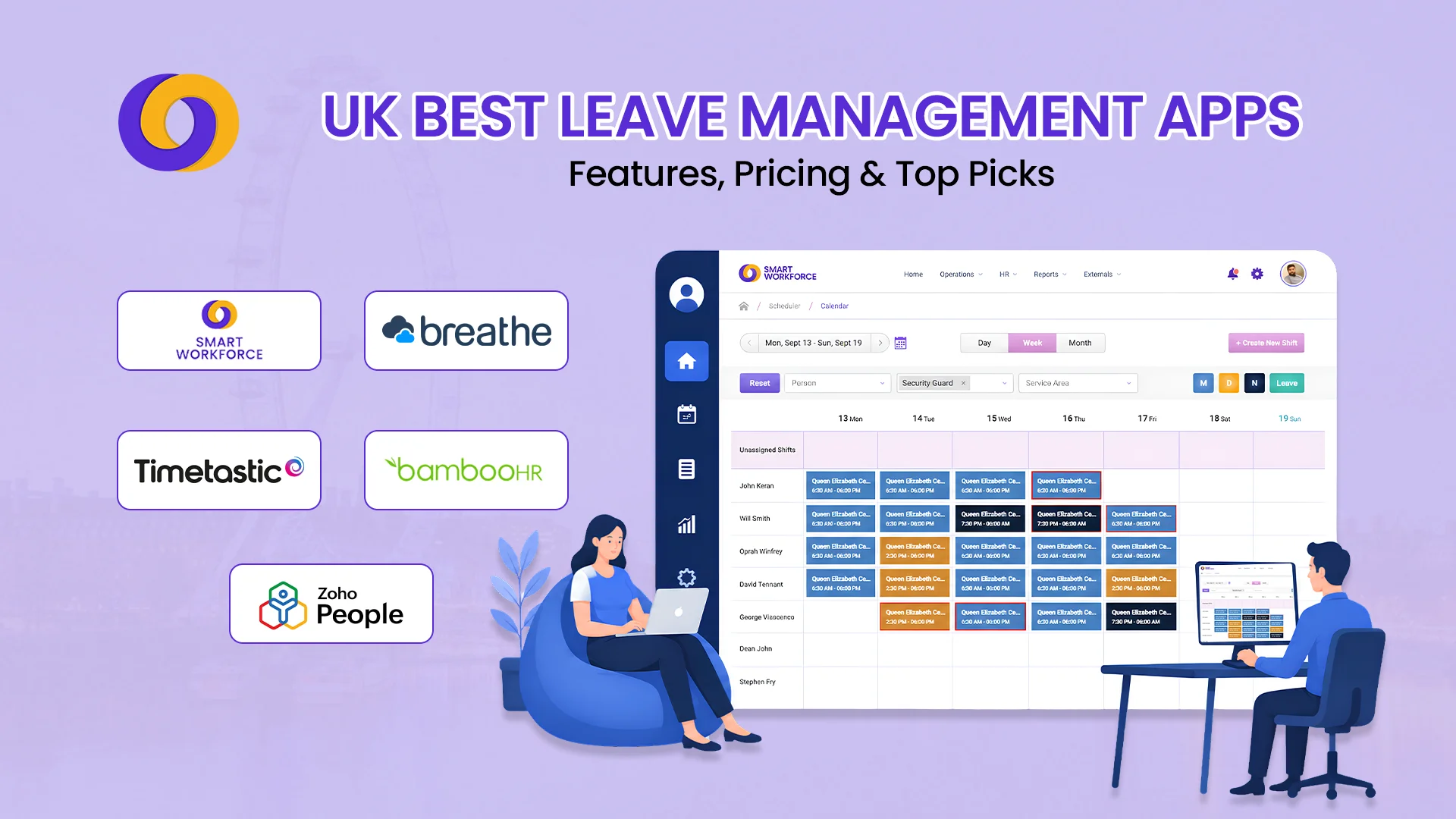
TL;DR
- Leave management apps replace spreadsheets with automation. They save managers 5-10 hours weekly, eliminate payroll errors, and provide real-time visibility of team availability.
- Pricing varies significantly. From free options (Zoho People, Leave Dates) to £8-12 per user monthly (Breathe, Personio) and custom enterprise pricing.
- UK compliance is a key differentiator. The best apps handle statutory leave (5.6 weeks), bank holidays, and Employment Rights Act 2025 requirements automatically.
- Employee self-service reduces admin. Staff can request leave, check balances, and view team calendars from mobile apps, freeing managers from constant queries.
- Integration with payroll saves time. Approved leave flows directly to payroll, eliminating manual data entry and reducing errors.
It’s Friday afternoon. Your inbox has 14 unread leave requests. Three employees want the same week off. You’re manually updating a spreadsheet that no one can see. Payroll is next week, and you’re still chasing approval emails.
Sound familiar?
For UK managers, managing annual leave manually is a significant drain on time and a source of errors. According to CIPD research, 43% of UK small businesses still rely on spreadsheets for leave tracking—despite the availability of affordable digital solutions.
A leave management app automates this entire process. Employees request leave through a mobile app or web portal. Managers approve with one click. Team calendars update automatically. And payroll data flows directly into your payroll system no manual re-entry, no errors.
This guide compares the 10 best leave management apps in the UK in 2026, covering features, pricing, pros and cons, and how to choose the right solution for your business.
What Is a Leave Management App?
A leave management app (also called a leave planner app or employee holiday tracker) is a software tool that automates the process of requesting, approving, and tracking employee time off.
Unlike spreadsheets or manual calendars, a leave management system provides:
- Real-time visibility: See who’s off, who’s available, and who’s due back at a glance
- Automated calculations: Holiday entitlement, carryover, and statutory leave are calculated automatically
- Employee self-service: Staff request leave, check balances, and view team calendars from mobile apps
- Integration with payroll: Approved leave data flows directly to payroll, eliminating manual errors
- Compliance: Automatic tracking of statutory leave entitlements, bank holidays, and Employment Rights Act requirements
Types of Leave Managed
A comprehensive app for leave management handles:
Leave Type | Description |
Annual leave | Statutory 5.6 weeks (28 days for full-time) |
Sick leave | Short-term and long-term sickness absence |
Parental leave | Maternity, paternity, adoption, shared parental leave |
Carer’s leave | Time off for caring responsibilities |
Compassionate leave | Bereavement and emergency leave |
Unpaid leave | Time off without pay (by agreement) |
Bank holidays | Public holidays (8-10 days depending on location) |
How Does Leave Management Software Work?
A leave management system app follows a simple workflow:
Step | Action | Details |
1. Request | Employee requests leave via app or web portal | Selects dates, leave type, adds notes |
2. Notification | Manager receives notification | Email, in-app, or push notification |
3. Approval | Manager approves or denies | One-click approval; automatic calendar update |
4. Update | Team calendar updates automatically | Everyone sees who’s off and when |
5. Balance | Employee’s remaining balance updates | Accrual and carryover calculated automatically |
6. Payroll | Data flows to payroll | Approved leave hours integrated into payroll calculation |
The best employee leave management system works offline too. Employees can request leave without internet, and the app syncs when connection returns.
Key Features to Look for in a Leave Management App
Feature | Why It Matters |
Real-time calendar | See team availability at a glance; prevent overlapping holidays |
Employee self-service | Staff request leave and check balances without emailing managers |
Mobile app | Access and approve leave from anywhere |
Auto calculations | Statutory entitlement, carryover, accrual calculated automatically |
Custom policies | Different leave types, eligibility, and approval workflows |
UK bank holidays | Automatic handling of England, Wales, Scotland, and NI holidays |
Payroll integration | Data flows directly to Sage, Xero, QuickBooks, ADP |
Absence tracking | Sick leave, parental leave, and other absences in one place |
Reporting | Absence patterns, Bradford Factor, team availability reports |
GDPR compliance | Secure data storage and processing |
Top 10 Leave Management Apps in the UK
Managing leave requests through spreadsheets and email chains wastes hours of manager time and creates payroll errors. We’ve compared the top 10 leave management apps, from free tools to enterprise solutions, to help you find the perfect fit for your UK business.
1. Smart Workforce
Best for: UK security, care, and service sector employers needing integrated leave management + scheduling + compliance
Overview: Smart Workforce is an all-in-one workforce management platform that combines leave management with shift scheduling, time and attendance, lone worker safety, and compliance tracking. Purpose-built for UK security, care, and service sector employers.
Key Features:
- Centralised leave requests and approvals with automated calendar updates
- Real-time visibility of team absences to prevent scheduling conflicts
- Automatic holiday entitlement calculations based on UK statutory requirements
- Shift-based leave management ensuring coverage during peak periods
- Integration with attendance tracking for accurate payroll calculations
- Mobile app for employees to request leave and managers to approve on the go
- BS7858-compliant staff vetting tracking
- Lone worker safety: automated check-ins during absence
Pros: All-in-one platform; purpose-built for UK compliance; real-time visibility; BS7858 vetting included; UK-based support
Cons: Specialised for security, care, and service sectors; may include features office-based teams don’t need
Pricing: Tailored subscription based on selected modules (leave management, scheduling, attendance tracking, BS7858 vetting, etc.). Free demo available.
Rating: 4.8/5 – Highly rated for its integrated approach, UK-specific compliance features, and real-time visibility.
2. Breathe
Best for: Micro-businesses and SMEs needing affordable, UK-focused leave management
Overview: Breathe is an HR software platform designed specifically for UK SMEs. It offers comprehensive leave management as part of its HR suite, with strong UK compliance features.
Key Features:
- Holiday entitlement calculator (5.6 weeks, pro-rata)
- Sickness tracking with fit note management
- Simple reporting on absence patterns
- Document storage for policies and fit notes
- Performance review integration
Pros: Very affordable (£3-4 per employee monthly); UK-specific compliance built-in; intuitive for non-HR users; strong for small teams (1-25 employees)
Cons: Limited advanced features; no native payroll (integrates with Xero, QuickBooks, Sage); basic reporting compared to enterprise tools
Pricing: Starts at roughly £3-4 per employee monthly
Rating: 4.7/5 – Highly rated for value and UK compliance
3. Timetastic
Best for: Absolute simplicity and visual leave tracking
Overview: Timetastic is a dedicated leave management app that prioritises simplicity and visual clarity. It’s designed for teams that need straightforward leave tracking without complex HR features.
Key Features:
- Visual absence calendar (see your whole team)
- Automatic holiday allowance calculations
- Sick leave tracking with optional return-to-work reminders
- Mobile app for on-the-go approvals
- Accrual system showing monthly allowance in calendar summaries
- Carry forward allowance from previous years
Pros: Exceptionally easy to set up and use; affordable; great for visual learners; free for small teams (up to 10 employees)
Cons: Limited reporting and analytics; no payroll integration; basic sick leave features compared to HRIS platforms
Pricing: £1.25-2.50 per user monthly (free for up to 10 employees)
Rating: 4.6/5 – Highly rated for simplicity and accrual accuracy
4. Personio
Best for: Growing companies needing all-in-one HR with leave management
Overview: Personio is a comprehensive HRIS that includes robust leave management alongside payroll, recruitment, and performance management. It’s designed for scaling businesses.
Key Features:
- Centralised absence management (sick, annual, parental, compassionate)
- Automated statutory leave calculations
- Return-to-work workflows and documentation
- Integration with payroll providers
- Employee self-service portal
- Multi-location support
Pros: All-in-one solution; strong for companies with European operations; excellent access controls; scales from 10-100+ employees
Cons: Custom pricing (not transparent); may have more features than micro-businesses need; implementation can take several weeks
Pricing: Custom/tiered plans
Rating: 4.6/5 – Comprehensive but may have more features than small teams need
5. BambooHR
Best for: User-friendly HR with integrated leave tracking
Overview: BambooHR is a globally recognised HR platform with strong leave management features. It’s ideal for businesses prioritising user experience and scalability.
Key Features:
- Employee self-service portal
- Time-off tracking and approvals
- Performance management module
- Reporting and analytics dashboards
- Customisable leave types and policies
- UK data localisation
Pros: Industry-leading user interface; excellent customer support; customisable reporting; strong for growing businesses
Cons: Custom pricing (can be expensive for small teams); no native payroll (integrates with third parties); some advanced features require add-ons
Pricing: Custom pricing based on company size
Rating: 4.8/5 – Consistently top-rated for interface and support
6. Zoho People
Best for: Budget-conscious SMEs wanting highly customisable leave management
Overview: Zoho People is a modular HR platform with strong leave management capabilities. It’s part of the Zoho ecosystem, offering deep integration with other Zoho apps.
Key Features:
- Highly customisable workflows
- Multiple leave policies for different employee types
- Timesheet and attendance tracking
- Integration with Zoho ecosystem (CRM, Books, Recruit)
- GDPR-compliant document storage
- Employee self-service portal
Pros: Extremely affordable (from £1 per employee monthly); highly customisable; excellent value if you already use Zoho products; free plan for up to 5 employees
Cons: Interface feels dated compared to competitors; steeper learning curve; support can be slower than premium competitors
Pricing: Starts from as low as £1 per employee monthly (basic plan); free plan for up to 5 employees
Rating: 4.2/5 – Excellent value; interface less modern than competitors
7. Leave Dates
Best for: Visual leave tracking with drag-and-drop simplicity
Overview: Leave Dates is a purpose-built leave management tool focused on simplicity and visual clarity. It’s designed for teams that need quick, visual absence tracking without complex features.
Key Features:
- Drag-and-drop absence calendar
- Employee self-service for requests
- Automatic holiday entitlement calculations
- Real-time team availability views
- Email notifications for approvals and reminders
- Mobile-friendly interface
Pros: Clean interface; free for small teams; easy to use; good for visual learners
Cons: Limited advanced features; no payroll integration; basic reporting
Pricing: Free for small teams; paid plans for larger organisations
Rating: 4.4/5 – Users appreciate the clean interface and ease of use
8. Absence.io
Best for: Dedicated leave management with medical certificate handling
Overview: absence.io is a dedicated leave and absence management platform designed to replace spreadsheets with a sophisticated cloud tool. It’s ideal for teams needing detailed absence tracking.
Key Features:
- Complete absence overview for entire departments
- Digital handling of medical certificates
- Simplified leave requests and approvals
- Multi-location support
- Integration with calendar and communication tools
Pros: Strong absence tracking; medical certificate handling; multi-location support; freemium model
Cons: Some users report customer service challenges; account access issues noted; limited payroll integration
Pricing: Freemium model with paid tiers for advanced features
Rating: 4.0/5 – Strong functionality, but customer service concerns noted
9. Deputy
Best for: Shift-based teams needing integrated scheduling and leave management
Overview: Deputy is a workforce management platform with strong leave and absence features, particularly suited to shift-based industries like retail, hospitality, and healthcare.
Key Features:
- Integrated absence management within shift scheduling
- Manual or automatic approval workflows
- Real-time visibility of who’s off when
- Accrual tracking with custom policies
- Mobile app for on-the-go requests and approvals
- Integration with payroll systems
Pros: Strong for shift-based businesses; integrated scheduling + leave; mobile-first design; good for retail, hospitality, healthcare
Cons: Leave features may require add-on modules; pricing can add up for large teams
Pricing: From £2.50 per user monthly
Rating: 4.5/5 – Strong for integrated scheduling and leave
10. Calamari
Best for: Tech-enabled teams needing Slack, Teams, or JIRA integration
Overview: Calamari is an HR management system with strong leave tracking and integration capabilities for tech-forward teams. It’s ideal for businesses using Slack, Teams, or project management tools.
Key Features:
- Plan and track all types of absences
- Notifications about upcoming absences and time-off requests
- Multi-country and multi-location support
- Integration with Slack, JIRA, G Suite, Office365, Microsoft Teams, Basecamp, and Asana
- Role-based security
Pros: Excellent integration flexibility; good for tech teams; multi-country support; freemium model
Cons: Less comprehensive as a standalone HRIS; limited for non-tech teams; some features require higher-tier plans
Pricing: Tiered plans including a free option for small teams
Rating: 4.3/5 – Praised for integration flexibility
Comparison Table: 10 Leave Management Apps
App | Best For | Key Differentiator | Starting Price | UK Payroll Integration | Mobile App | Rating |
Smart Workforce | UK security, care, service sectors | All-in-one leave + scheduling + compliance + lone worker safety | Tailored subscription | Yes | Yes | 4.8/5 |
Breathe | UK SMEs (1-25) | UK compliance built-in | £3-4/user | No (integrates) | Yes | 4.7/5 |
Timetastic | Simplicity (1-30) | Visual calendar; free for small teams | £1.25-2.50/user | No | Yes | 4.6/5 |
Personio | Growing SMEs (10-100) | All-in-one HR + leave | Custom | Yes | Yes | 4.6/5 |
BambooHR | User experience | Industry-leading interface | Custom | No (integrates) | Yes | 4.8/5 |
Zoho People | Budget-conscious | From £1/user | £1/user | No | Yes | 4.2/5 |
Leave Dates | Visual tracking | Drag-and-drop calendar | Free/paid | No | No | 4.4/5 |
absence.io | Dedicated leave | Medical certificate handling | Freemium | Limited | Yes | 4.0/5 |
Deputy | Shift-based teams | Integrated scheduling + leave | £2.50/user | Yes | Yes | 4.5/5 |
Calamari | Tech teams | Slack/Teams/JIRA integration | Freemium | No | Yes | 4.3/5 |
How to Choose the Right Leave Management App
Choosing the right leave management app starts with understanding your team size, budget, and whether you need integration with payroll or shift scheduling. Follow these five steps to find the perfect fit for your UK business:
Step 1: Define Your Requirements
Question | Why It Matters |
How many employees? | 1-10 → Timetastic or Leave Dates; 10-50 → Breathe or Smart Workforce; 50+ → Personio or BambooHR |
Do you have shift workers? | Yes → Deputy or Smart Workforce |
Do you need payroll integration? | Yes → Personio, Deputy, or Smart Workforce |
What’s your budget? | Low → Timetastic, Zoho People, or Leave Dates |
Do you have remote teams? | Yes → Mobile app essential (all listed offer mobile) |
Do you need UK bank holiday handling? | Yes → Most UK-focused apps handle this automatically |
Step 2: Check UK Compliance
Your leave management system must handle:
- Statutory annual leave (5.6 weeks / 28 days for full-time)
- Bank holidays (8 in England and Wales, 9 in Scotland, 10 in Northern Ireland)
- Pro-rata calculations for part-time employees
- Carryover rules under the Employment Rights Act 2025
- Parental leave (maternity, paternity, adoption, shared parental)
- Day-one flexible working rights under the Employment Rights Act 2025
Step 3: Evaluate Total Cost of Ownership
Consider both upfront and ongoing costs:
- Monthly or annual subscription fees
- Per-user or flat-rate pricing models
- Implementation and training costs
- Additional costs for add-on modules (payroll integration, advanced reporting)
- Hidden costs (data migration, ongoing support)
Step 4: Test Free Trials
Most providers offer 14-30 day free trials. Test with real employees—ask them to request leave, check their balance, and view team calendars. Pay attention to mobile app experience, approval workflows, and reporting capabilities.
Step 5: Check Integration with Existing Systems
Your employee leave management system should integrate with your existing tools:
- Payroll system – Sage, Xero, QuickBooks, ADP
- Email platform – Gmail, Outlook
- Communication tools – Slack, Teams
- Scheduling system – If you have shift workers, ensure the app integrates with your rota software
- HR system – Single sign-on, employee data sync
A system that doesn’t integrate creates manual data entry—which is exactly what you’re trying to eliminate.
Can Leave Management Software Prevent Overlapping Holidays?
Yes. A good leave planner app shows team availability in real time. Managers can set rules limiting how many employees can be off simultaneously. When an employee requests leave, the system checks against these rules and team calendars.
Some apps also allow you to:
- Set “blackout periods” during busy seasons
- Require employees to check calendars before requesting
- Auto-deny requests that would exceed coverage limits
Can Leave Management Software Handle UK Bank Holidays?
Yes. Most UK-focused leave management systems handle bank holidays automatically. They account for different bank holiday schedules across England, Wales, Scotland, and Northern Ireland.
Some apps also allow you to:
- Choose whether bank holidays are taken from leave entitlement or given as additional days
- Manage part-time employee bank holiday entitlement (pro-rata)
- Handle bank holidays for shift workers
What Is the Difference Between Leave and Absence Management?
Leave management typically refers to planned time off: annual leave, parental leave, and other pre-approved absences.
Absence management is broader. It includes unplanned absences like sickness, emergency leave, and unauthorised absence. It often includes features like Bradford Factor tracking, return-to-work interviews, and fit note management.
Most modern employee leave management system apps handle both, though some focus specifically on planned leave.
How Smart Workforce Supports Leave Management
Smart Workforce is the best leave management app in the UK for security, care, and service sector employers. It combines leave management with shift scheduling, time and attendance, lone worker safety, and BS7858 staff vetting—all in one integrated platform.
Key features:
- Centralised leave requests and approvals with automated calendar updates
- Real-time visibility of team absences to prevent scheduling conflicts
- Automatic holiday entitlement calculations based on UK statutory requirements
- Shift-based leave management ensuring coverage during peak periods
- Mobile app for employees to request leave and managers to approve on the go
- Integration with attendance tracking for accurate payroll calculations
Discover How Smart Workforce Simplifies Leave Management – Book a Demo Today
Conclusion
A leave management system app transforms leave tracking from a weekly administrative headache into a streamlined, automated process. It saves managers 5-10 hours weekly, eliminates payroll errors, and provides real-time visibility of team availability.
Your 2026 checklist:
- Choose a UK-focused app with statutory leave calculations
- Ensure it handles bank holidays automatically
- Check payroll integration
- Test the mobile app with real employees
- Set leave rules (maximum off simultaneously, blackout periods)
The right employee holiday tracker pays for itself in reduced admin time and improved staff satisfaction. Start with your must-haves, test free trials, and choose software that grows with your business.
Frequently Asked Questions
What is a leave planner app?
A leave planner app is a software tool that automates the process of requesting, approving, and tracking employee time off. It provides real-time visibility of team availability, calculates leave balances, and integrates with payroll systems.
How does leave management software work?
Employees request leave through a mobile app or web portal. Managers approve with one click. Team calendars update automatically. Leave balances are calculated and tracked in real time. Approved leave data flows directly to payroll.
What features should a leave management app have?
Essential features include real-time calendar, employee self-service, mobile app, automatic statutory calculations, custom policies, UK bank holiday handling, payroll integration, absence tracking, and reporting.
How much does leave management software cost in the UK?
Costs range from free (Zoho People, Leave Dates) to £1.25-4 per user monthly (Timetastic, Breathe) to custom enterprise pricing (Personio, BambooHR). Smart Workforce offers tailored subscriptions based on selected modules.
Is leave management software suitable for small businesses?
Yes. Many apps are designed specifically for small businesses. Timetastic offers free plans for up to 10 employees. Zoho People starts at £1 per user monthly. Breathe is designed for UK SMEs with 1-25 employees.
Can employees request annual leave through an app?
Yes. Most leave management apps offer employee self-service through mobile apps or web portals. Staff can request leave, check remaining balances, and view team calendars from their phones.
What is the difference between leave and absence management?
Leave management typically covers planned time off (annual leave, parental leave). Absence management is broader—it includes unplanned absences like sickness, emergency leave, and unauthorised absence, often with Bradford Factor tracking and return-to-work workflows.
Can leave management software handle UK bank holidays?
Yes. Most UK-focused apps handle bank holidays automatically, accounting for different schedules across England, Wales, Scotland, and Northern Ireland, including pro-rata calculations for part-time employees.
Can leave management software prevent overlapping holidays?
Yes. Most apps allow managers to set rules limiting how many employees can be off simultaneously. The system checks these rules when a request is submitted and can auto-deny requests that would exceed coverage limits.

0 Comments