
TL;DR
- Face recognition eliminates buddy punching. Unlike swipe cards or PIN codes, facial biometrics verify the actual person clocking in, saving UK businesses an estimated 2-5% of gross payroll annually.
- UK compliance is non-negotiable. Under UK GDPR, facial biometrics are “special category data” requiring a lawful basis, a Data Protection Impact Assessment (DPIA), and a non-biometric alternative for employees who opt out.
- The right system depends on your workforce. Field teams need GPS and offline mode; office staff need kiosk speed; construction sites need rugged hardware.
- Liveness detection is essential. Prevents spoofing using photos, videos, or masks.
- Integration with payroll saves admin time. Hours worked should flow directly to payroll, eliminating manual data entry and errors.
It’s shift change at a busy distribution centre. Fifty employees queue at the time clock. Some swipe cards for colleagues who are running late. Others enter PIN codes they’ve shared across the team. By the time payroll runs, the numbers don’t add up, and the company has lost thousands to “buddy punching.”
Facial recognition technology offers a solution. A face recognition time attendance system uses AI to verify each employee’s identity in under two seconds. No cards to share. No codes to forget. Just a glance, and the system knows exactly who is clocking in.
In 2026, these systems are faster, more accurate, and more affordable than ever. But with dozens of options, from free mobile apps to enterprise-grade hardware, choosing the right one can feel overwhelming.
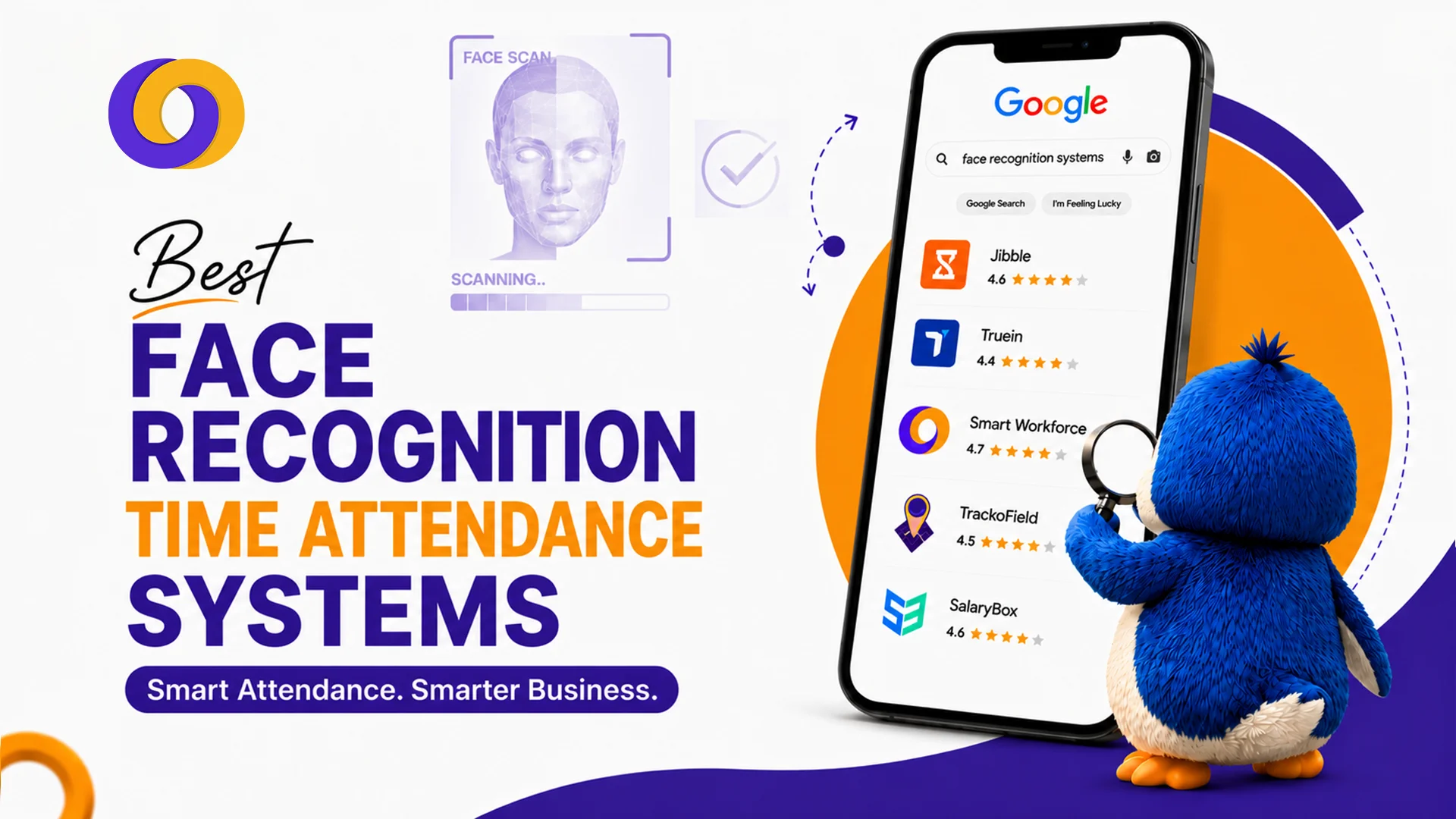
This guide compares the 10 best face recognition time attendance systems for 2026, covering features, pricing, pros and cons, and the UK legal requirements you cannot ignore.
What Is a Face Recognition Time Attendance System?
A facial recognition clock-in system uses biometric AI to verify employee identity by analysing unique facial features. Unlike a simple photo match, modern systems create a mathematical “faceprint”, an encrypted template derived from the geometry of your face.
Key components:
- Face detection: The system locates a face in the camera frame
- Feature extraction: It maps key nodal points (eye distance, nose width, cheekbone contour)
- Faceprint conversion: The data is converted into an encrypted template (not a stored image)
- Matching: The system compares the template against stored records
- Liveness detection: Advanced systems detect micro-movements to prevent spoofing with photos or masks
UK Legal Compliance: What You Must Know
In the UK, facial biometrics are classified as “special category data” under the UK GDPR. This means stricter rules apply:
1. You must have a lawful basis
Usually “legitimate interests” or “explicit consent” with a genuine non-biometric alternative for employees who opt out.
2. You must complete a Data Protection Impact Assessment (DPIA)
Before deploying any biometric system, you must document risks and mitigation measures.
3. You must offer a non-biometric alternative
Employees cannot be forced to use facial recognition. Swipe cards, PIN codes, or mobile apps must be available with no detriment.
4. You must store data securely
Encrypted templates only; no raw images; limited access; clear retention policies.
5. You must be transparent
Tell employees what data is collected, why, how long it’s kept, and who has access.
The Serco case: In 2024/2025, the ICO ordered Serco to stop using facial recognition and fingerprint scanning for staff attendance because they failed to assess privacy risks, demonstrate necessity, or consider alternatives.
Bottom line: Facial recognition attendance is legal in the UK but only if you follow the rules. A reputable provider will offer DPIA templates and compliance guidance.
10 Best Face Recognition Time Attendance Systems for 2026
Here is the list of the best solutions across the UK:
1. Jibble
Best for: Teams on a budget needing a free, easy-to-use solution
Overview: Jibble offers a generous free plan with AI-driven face recognition attendance on mobile and kiosk modes. It’s trusted by global companies from small businesses to enterprises like Tesla and Accenture.
Key Features:
- AI face recognition with 4-pose verification
- GPS tracking and geofencing
- Kiosk mode for shared tablets
- Offline functionality with automatic sync
- Detailed attendance and payroll reports
Pros: Exceptionally easy to use; generous free plan; works across multiple platforms; lightning-fast recognition
Cons: Some users report photo capture issues in certain lighting conditions; location permissions can be intrusive if not configured properly; no native payroll
Pricing: Free – £2.99 per user monthly
Rating: 4.8/5 based on 3,900+ reviews
Best for: Small businesses, startups, and teams on a budget wanting a facial recognition clock-in system with no upfront cost.
2. Truein
Best for: Contract and multi-site workforces
Overview: Truein is designed for businesses with contract staff and multiple locations. It operates on tablets and mobile devices with kiosk mode and geofencing.
Key Features:
- AI face recognition with liveness detection
- Geofencing for location verification
- Kiosk mode on tablets
- Real-time dashboard for multi-site monitoring
- Automated timesheet and payroll export
Pros: Excellent for multi-site operations; strong compliance features; real-time visibility across locations
Cons: Interface can feel less polished than competitors; pricing requires a custom quote
Pricing: Custom quote
Rating: 4.5/5
Best for: Staffing agencies, construction firms, and businesses with contract workers across multiple sites.
3. Smart Workforce
Best for: UK security, care, and service sector employers needing all-in-one workforce management with compliance
Overview: Smart Workforce combines face recognition attendance with scheduling, time tracking, lone worker safety, and BS7858-compliant staff vetting—all in one platform purpose-built for the UK security and service sectors.
Key Features:
- AI face recognition clock-in/out with liveness detection
- GPS and QR checkpoint verification
- Real-time attendance dashboards
- Integrated shift scheduling and shift swaps
- Lone worker safety: automated check-ins, panic alerts, fall detection
- BS7858-compliant staff vetting tracking
- Automated timesheet and payroll integration
- UK-based support with compliance expertise
Pros: All-in-one platform for security, care, and service sectors; purpose-built for UK compliance; eliminates data silos; real-time visibility; BS7858 vetting included; UK-based support
Cons: Specialised for service sector; may include features office-based teams don’t need
Pricing: Tailored subscription based on selected modules
Rating: 4.7/5
Best for: UK security companies, care homes, facilities management, and service sector employers needing integrated time attendance system with face recognition plus scheduling, lone worker safety, and compliance tracking.
4. Buddy Punch
Best for: Policy compliance and touchless clock-in
Overview: Buddy Punch is a robust biometric face recognition attendance system that supports touchless facial recognition alongside QR codes, ensuring flexibility for different workplace needs.
Key Features:
- Face recognition with liveness detection
- QR code and PIN alternatives
- GPS and IP address verification
- PTO accrual tracking
- Integration with QuickBooks, ADP, Paychex, and SurePayroll
Pros: Touchless operation; strong policy compliance features; good for multi-location businesses; excellent integration options
Cons: App crashes reported by some users; loading times can be slow
Pricing: $4.49/user/month (free trial available)
Rating: 4.8/5 based on 1,124+ reviews
Best for: Retail chains, offices, and businesses that need strong policy controls alongside face recognition.
5. TrackoField
Best for: Field workforces with GPS verification
Overview: TrackoField merges face scans with live GPS mapping and geofences, making it ideal for field teams who clock in from remote or customer locations.
Key Features:
- AI face recognition with liveness detection
- Live GPS tracking and route mapping
- Geofencing for site verification
- Job ticketing and task allocation
- Automated timesheets
Pros: Excellent for field teams; combines facial recognition with GPS verification; good job costing features
Cons: Less suitable for office-based or kiosk deployments; pricing less transparent
Pricing: Custom quote
Rating: 4.3/5
Best for: Delivery drivers, field service engineers, and remote workforces.
6. SalaryBox
Best for: Small-to-medium businesses on a tight budget
Overview: SalaryBox offers smartphone-based face check-ins with automatic salary calculations, making it affordable for smaller teams.
Key Features:
- Smartphone face check-ins
- Automated salary calculations
- Shift management
- Leave tracking
- Payroll integration
Pros: Very affordable; designed for small teams; no hardware costs
Cons: Limited advanced features; less suitable for large enterprises; mobile-only (no kiosk mode)
Pricing: Free tier; paid plans from £1-3/user monthly
Rating: 4.2/5
Best for: Small businesses and startups needing a basic face recognition time attendance system without hardware investment.
7. Securtime
Best for: Enterprise cloud kiosks and high-security environments
Overview: Securtime is an enterprise-grade cloud platform with visitor controls and high-security compliance features, suitable for large organisations with strict security requirements.
Key Features:
- AI face recognition for employees and visitors
- Cloud-based kiosk mode
- Visitor management and access control
- Integration with access control systems
- Custom workflows and approvals
Pros: Enterprise-grade; visitor management; high-security features; scalable
Cons: Expensive; complex implementation; may be overkill for small businesses
Pricing: Custom enterprise quote
Rating: 4.3/5
Best for: Large enterprises, government buildings, and high-security environments.
8. Rippling
Best for: Integrated HR and physical time clock
Overview: Rippling is an all-in-one HR, IT, and payroll platform with onsite biometric and face verification hardware synced to global payroll.
Key Features:
- Onsite biometric face verification hardware
- Global payroll and HR integration
- Employee self-service portal
- IT provisioning and device management
- Multi-currency payroll
Pros: Unified HR, IT, and payroll; global payroll integration; enterprise-grade security
Cons: Expensive for small teams; hardware costs; complex implementation
Pricing: Custom enterprise quote
Rating: 4.4/5
Best for: Global enterprises needing integrated HR, IT, and payroll with biometric time tracking.
9. Deputy
Best for: Shift work and high-volume clock-ins
Overview: Deputy handles rapid shared-tablet face scans to prevent bottlenecks during shift changes, making it ideal for hospitality, manufacturing, and retail.
Key Features:
- Rapid face recognition on shared tablets
- AI-powered scheduling
- GPS time tracking
- Staff communication and shift swapping
- Payroll integration (Xero, QuickBooks, ADP)
Pros: Excellent for shift-based teams; handles high-volume facial clock-ins; strong scheduling features; good for hospitality and retail
Cons: Face recognition may require add-on modules; pricing can add up for large teams
Pricing: From £2.50/user/month
Rating: 4.6/5
Best for: Hospitality, retail, manufacturing, and any business with high-volume shift changeovers.
10. ClockShark
Best for: Field crews and construction sites
Overview: ClockShark uses single-device site kiosks with quick facial validation, making it ideal for construction, landscaping, and other field-based teams.
Key Features:
- Quick facial validation on site kiosks
- GPS tracking and geofencing
- Job costing and project tracking
- Photo attachments for job site documentation
- Integration with payroll (QuickBooks, Xero)
Pros: Purpose-built for construction; strong mobile app; GPS verification; job costing features
Cons: Less suitable for office-based teams; pricing requires a custom quote
Pricing: Custom quote
Rating: 4.4/5
Best for: Construction, landscaping, and field-based teams needing quick facial recognition on site kiosks.
Comparison Table: Face Recognition Time Attendance Systems
System | Best For | Key Differentiator | Starting Price | UK Compliance |
Jibble | Budget-conscious teams | Free plan; 4-pose AI recognition | Free – £2.99/user | GDPR-compliant |
Truein | Multi-site contract workers | Tablet kiosk + geofencing | Custom | GDPR-compliant |
Smart Workforce | UK security, care, service sectors | All-in-one + BS7858 vetting + lone worker safety | Tailored subscription | GDPR + BS7858 |
Buddy Punch | Policy compliance | Touchless + QR alternatives | $4.49/user | GDPR-compliant |
TrackoField | Field teams | GPS + face scan | Custom | GDPR-compliant |
SalaryBox | Small businesses | Smartphone-only check-ins | Free – £1-3/user | GDPR-compliant |
Securtime | Enterprise high-security | Visitor controls + access control | Custom | GDPR-compliant |
Rippling | Global enterprises | HR + IT + payroll + biometrics | Custom | GDPR-compliant |
Deputy | Shift work (hospitality, retail) | Rapid kiosk face scans | £2.50/user | GDPR-compliant |
ClockShark | Construction, field crews | Site kiosks + job costing | Custom | GDPR-compliant |
How to Choose the Best Face Recognition Time Attendance System
For Small Businesses
- Jibble (free option) or SalaryBox (affordable)
- Minimal upfront cost; no hardware required
- Mobile-based or tablet-based face recognition
For Field Teams and Construction
- TrackoField or ClockShark or Smart Workforce
- GPS verification and offline mode essential
- Kiosk or mobile face scanning
For Retail and Hospitality
- Deputy (rapid kiosk face scans) or Buddy Punch
- High volume, fast clock-ins needed
- Touchless operation preferred
For Multi-Site Operations
- Truein or Smart Workforce
- Centralised dashboard and geofencing
- Consistent visibility across locations
For UK Security and Service Sectors
- Smart Workforce
- Face recognition + scheduling + lone worker safety + BS7858 vetting
- Purpose-built for UK compliance
For Enterprise and Global Operations
- Rippling or Securtime
- Global payroll and HR integration
- High-security features and scalability
Key Features to Look For
Feature | Why It Matters |
Liveness detection | Prevents spoofing with photos, videos, or masks. Essential for security |
Offline mode | Guards can clock in without internet; syncs when connection returns. Critical for field workers |
GPS/Geofencing | Verifies clock-ins from approved locations. Prevents remote buddy punching |
Integration with payroll | Hours flow directly to payroll, eliminating manual entry errors |
Multi-device support | Works on kiosks, tablets, and smartphones for different workforces |
Compliance tools | DPIA templates, GDPR guidance, audit trails. Essential for UK employers |
Scalability | Handles 10 employees or 10,000 without performance loss |
Conclusion
A face recognition time attendance system eliminates buddy punching, reduces payroll errors, and provides real-time visibility of who is working. But in the UK, compliance is non-negotiable.
Your 2026 checklist:
- Choose a provider with liveness detection
- Complete a DPIA before deployment
- Offer a non-biometric alternative with no detriment
- Store encrypted templates, not images
- Set clear retention periods and deletion protocols
- Be transparent with employees about data collection
The right system depends on your workforce: field teams need GPS and offline mode; office teams need kiosk speed; UK security and care sectors need integrated compliance.
How Smart Workforce Delivers UK-Compliant Face Recognition
Smart Workforce is the only platform on this list built specifically for UK security, care, and service sector employers. It combines face recognition attendance with shift scheduling, lone worker safety, and BS7858 staff vetting in one integrated system.
Key advantages:
- UK GDPR-compliant with DPIA templates and audit trails
- Non-biometric alternative offered (GPS clock-in, QR scanning)
- Lone worker safety – automated check-ins, panic alerts, fall detection
- BS7858 vetting – track screening status and expiry dates
- Real-time scheduling – drag-and-drop rotas, shift swaps, availability tracking
- Payroll integration – hours flow directly to payroll
- UK-based support with compliance expertise
Discover How Smart Workforce Delivers UK-Compliant Face Recognition – Book a Demo Today
Frequently Asked Questions
What is the best face recognition time attendance system for small businesses?
Jibble (free plan) or SalaryBox (affordable) are excellent for small businesses. Both offer mobile-based face check-ins with no hardware costs and easy setup.
Is facial recognition attendance legal in the UK?
Yes, but with strict conditions. Under UK GDPR, facial biometrics are “special category data.” You must have a lawful basis, complete a DPIA, offer a non-biometric alternative, and store data securely.
What does the ICO say about face recognition attendance systems?
The ICO states that facial recognition involves processing biometric data, which is “special category data.” It must be justified, proportionate, and lawful, with a clear legal basis and appropriate safeguards.
What happened in the Serco Leisure ICO case?
The ICO ordered Serco to stop using fingerprint and facial recognition for staff attendance because they failed to assess privacy risks, demonstrate necessity, or consider less intrusive alternatives.
Do I need a DPIA before deploying a face recognition attendance system?
Yes. The ICO requires a Data Protection Impact Assessment (DPIA) for any processing that uses biometric data for unique identification, as it is considered high risk.
How do I get employee consent for biometric attendance in the UK?
Consent must be freely given, specific, informed, and unambiguous. Provide a clear privacy notice, offer a non-biometric alternative, and ensure no detriment for refusing consent.
What is the difference between face recognition and fingerprint attendance systems?
Face recognition is contactless, faster (1-2 seconds), and works with masks (with IR). Fingerprint is cheaper, highly accurate, but requires physical touch and doesn’t work with gloves or dirty hands. Both are biometric and carry similar GDPR compliance requirements.
Can I use a cloud-based face recognition attendance system in the UK?
Yes, provided the provider is GDPR-compliant, stores data in secure UK/EU data centres, and offers encryption, access controls, and a data processing agreement.
How long must UK employers retain time and attendance data?
There is no fixed legal period, but best practice is to keep records for the duration of employment plus 6 months to 6 years. Check ICO guidance for your specific data types.
What is buddy punching and how does facial recognition prevent it?
Buddy punching is when one employee clocks in for another who is late or absent. Facial recognition prevents it by verifying the actual person clocking in—no cards, PINs, or shared credentials.
What face recognition attendance terminals work in outdoor UK environments?
Look for IP-rated devices (water and dust resistance) with IR illuminators for low light and wide temperature tolerance. Brands like ZKTeco, Suprema, and Anviz offer outdoor-capable terminals.
How does a face recognition attendance system integrate with UK payroll software?
Most cloud-based systems (Smart Workforce, Deputy, Jibble) export attendance data via API or CSV to major UK payroll providers like Sage, Xero, QuickBooks, and ADP, eliminating manual data entry.
How much does a face recognition attendance system cost in the UK?
Costs range from free (Jibble) to £2-5 per user monthly (most cloud platforms) to custom enterprise pricing (£10-20+ per user). Hardware and implementation may add costs for on-premise solutions.
What is liveness detection in a face recognition terminal?
Liveness detection prevents spoofing using photos, videos, or masks. Advanced systems detect micro-movements, skin texture, or use 3D depth sensing to ensure a real, present person is being scanned.

0 Comments
Trackbacks/Pingbacks