
SUMMARY
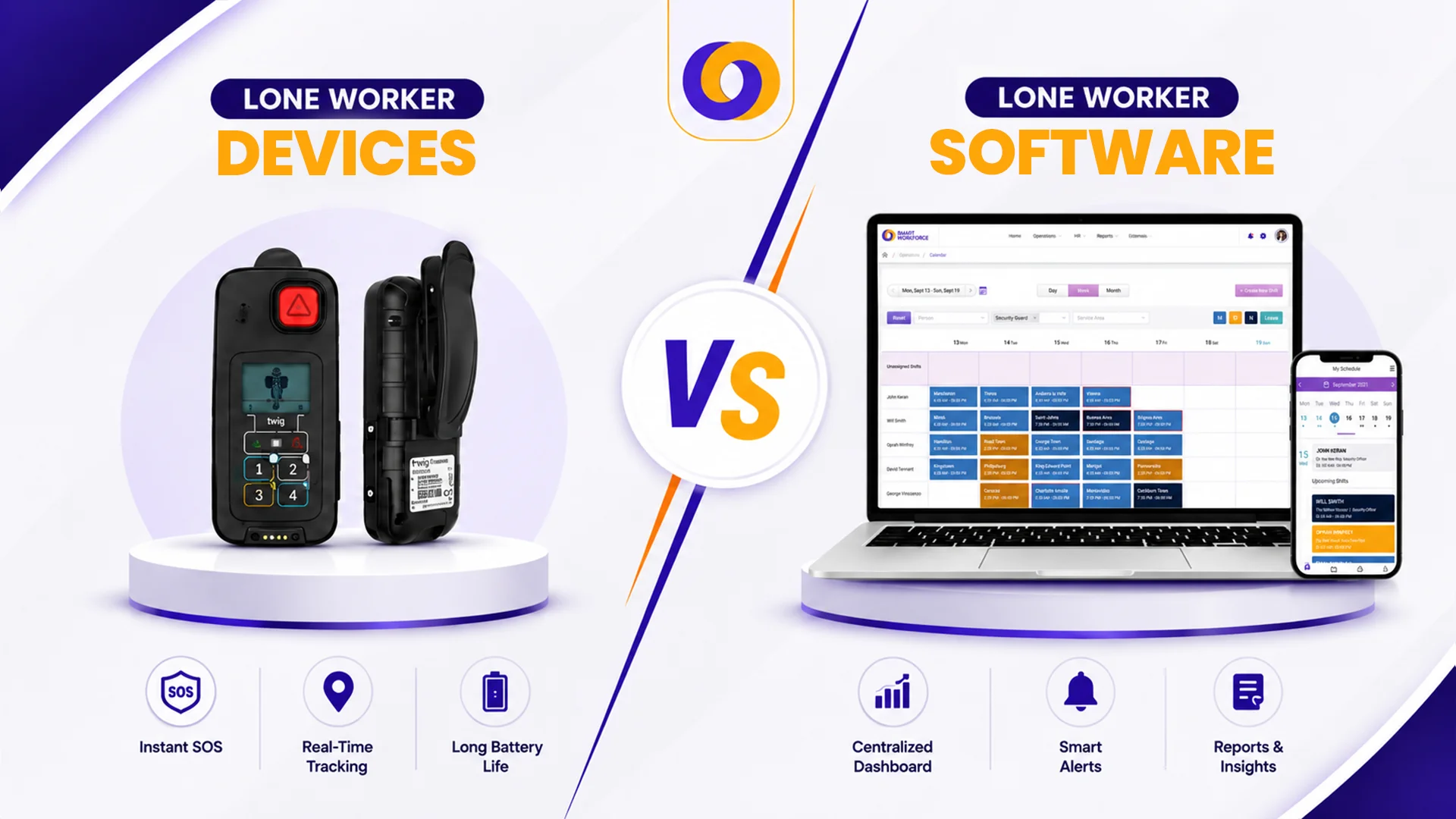
- Multi-network roaming SIMs and rugged build quality suit remote, outdoor, or industrial environments where mobile coverage is patchy.
- No hardware to buy or replace. Workers already carry smartphones. Lower training overhead and easier rollout across large teams.
- Whether you choose a device or app, ensure the solution is certified to the British Standard for lone worker safety services.
- Some organisations issue apps to most staff and dedicated devices to high-risk or remote workers.
- A BS 8484-accredited ARC with trained operators is as important as the device or app itself.
A security officer patrols a remote industrial site. A community nurse visits a patient’s home. A utility engineer works in a rural substation. Each is alone, each faces similar risks, and each needs a way to summon help if something goes wrong.
The choice often comes down to a lone worker device or app, a dedicated hardware alarm or a smartphone-based solution. Both can protect your team, but they suit different environments, budgets, and operational realities.
UK law doesn’t treat lone workers as a separate category. They sit under the same duty of care as every other employee under the Health and Safety at Work etc. Act 1974. What changes is the risk profile and the difficulty of keeping an eye on them.
This guide compares dedicated lone worker devices versus smartphone apps, helping you decide which solution fits your team’s needs in 2026.
What Is a Lone Worker?
A lone worker is any employee who performs their job without close or direct supervision, where help would not be readily available if something went wrong.
Common examples:
- Security guards on night patrol
- Community nurses visiting patients at home
- Delivery drivers on routes
- Cleaners working after hours
- Field engineers at remote sites
- Retail staff opening or closing shops alone
Lone working isn’t illegal, but employers have a legal duty to assess risks, implement safety measures, monitor welfare, and respond to emergencies. The HSE expects employers to “train, supervise and monitor lone workers, keep in touch and respond to any incident.”
The Legal Framework: What You Must Know
Lone Worker Protection UK is not optional. While there are no specific “lone working laws,” the Health and Safety at Work etc. Act 1974 requires employers to ensure the safety of all workers, including those working alone.
The Management of Health and Safety at Work Regulations 1999 require employers to assess risks and put suitable controls in place. For lone working specifically, the HSE’s practical guidance, INDG73, sets out the expectation that employers must “train, supervise and monitor lone workers, keep in touch and respond to any incident”.
The Standard That Matters: BS 8484:2022
The standard most professional buyers look for is BS 8484:2022, the British Standard covering lone worker safety services. It sets requirements across four areas:
- Functional reliability – The device or app the worker carries
- Alarm Receiving Centre standards – Handling alerts
- Emergency response levels – including coordination with police and ambulance services
- Data privacy controls – Protecting the worker’s personal information
A BS 8484-accredited solution is the evidence a serious H&S team relies on to show it has met its duty of care. It’s what an HSE inspector or insurer will expect to see.
Dedicated Lone Worker Devices: Pros, Cons & Best Uses
A dedicated lone worker device is a standalone hardware alarm. It’s designed for one job: giving workers a reliable SOS button.
Where Devices Win
Discussed here are the benefits of the lone worker safety devices:
- Signal reliability
A multi-network roaming SIM lets the device pick whichever carrier has the strongest signal at any moment. A phone locked to one network has dead zones—and a dead zone is where a worker has no protection.
- Battery life
A device with three to five days of standby gets through a working week without daily charging. A phone that’s run flat by lunchtime is no protection at all.
- Durability
Lone worker devices are built for the condition’s workers operate in. They’re typically IP-rated for water and dust resistance and drop-tested for industrial use.
- No-phone environments
Some workplaces don’t allow personal phones at all, including clean rooms and certain secure sites. In those settings, a dedicated device is the only protection that fits.
- Fall detection that works
Cheap fall detection works on a tilt sensor and gives false alarms whenever a worker kneels or bends down. Better detection looks at real motion patterns and only fires on actual falls.
Dedicated Lone Worker Devices: Pros & Cons
Aspect | Pros | Cons |
Signal | Multi-network roaming SIM; best for rural and industrial sites with patchy coverage | More expensive than single-network options |
Battery | 3-5 days standby; lasts a full working week without daily charging | Battery can degrade over time; replacement adds cost |
Durability | IP-rated and drop-tested; built for tough, harsh environments | Bulky compared to a smartphone; less discreet |
Cost | Reliable protection in high-risk environments; fewer failures | Higher upfront cost; hardware procurement, replacement, recovery expenses |
Adoption | Simple, dedicated purpose—press a button to trigger SOS | Workers must remember to carry a separate device; risk of being forgotten |
Training | Minimal; press button for SOS, check battery level | New device, new behaviour—more change management required |
Privacy | No personal data stored on the device | Additional device to manage; risk of loss or theft |
Fall detection | AI-based motion pattern detection; fewer false alarms | More expensive than basic tilt-sensor alternatives |
No-phone environments | Works in secure sites, clean rooms, and other phone-free workplaces | Not applicable if phones are allowed |
Lone Worker Safety Software (Apps): Pros, Cons & Best Uses
A lone worker safety app turns a smartphone into a safety device. It’s usually the right call when your workforce already carries company smartphones.
Where Apps Win
Here are the benefits of lone worker safety apps:
- No hardware to procure
Nothing to buy, distribute, charge, replace, or recover when staff leave. For a 300-user rollout, that adds up to meaningful saved overhead.
- Higher adoption
The worker is already carrying the phone. No separate device to forget on the kitchen counter.
- Lower training overhead
Workers already know how to use a smartphone. A short walkthrough of how to trigger an alert, set a check-in, and confirm peer status is usually enough.
- Discreet activation
A well-designed app lets a worker trigger an SOS without unlocking the phone. Older designs needed the user to unlock, open the app, and find a button—several seconds too slow when someone is under threat.
- Timed welfare check-ins
A worker can set a timer for a bounded task: “I’m working at height for 20 minutes.” If they don’t check in when the timer expires, the alert escalates.
- Offline alert caching
An SOS triggered in a basement, lift shaft, or tunnel queues locally and sends as soon as signal returns. Apps that don’t handle this lose alerts in exactly the situations where they’re most needed.
- Cost per seat
Apps are meaningfully cheaper than devices, especially at volume. For a large lower-risk lone-working population (community visits, hybrid workers, field sales), that’s how protection becomes economically feasible to extend to everyone who needs it.
Lone Worker Safety Software (Apps): Pros & Cons
Aspect | Pros | Cons |
Signal | Works wherever the phone has coverage; no extra SIM to manage | Single network; dead zones are a risk |
Battery | No extra device to charge; uses existing phone battery | Drains phone battery; workers may forget to keep it charged |
Durability | No extra hardware to damage or replace | Phone may not survive harsh environments (water, dust, drops) |
Cost | No hardware costs; lower overall cost per user | Monthly subscription fees apply |
Adoption | Workers already carry phones; higher engagement and usage | Workers may disable location tracking or notifications |
Training | Workers already know how to use smartphones; minimal training | App features require learning; workers may not use them correctly |
Privacy | Location tracking only during active tasks; no permanent tracking | Concerns about employer monitoring; requires clear policies |
Discreet SOS | Can trigger alert without unlocking phone (if designed well) | Poorly designed apps require unlocking, opening app, finding button—too slow |
Offline alerts | Queues SOS and sends when signal returns | Some apps don’t handle offline scenarios at all |
Comparison Table: Devices vs Software
Factor | Dedicated Device | Smartphone App |
Signal coverage | Multi-network roaming; best for rural/industrial | Single network; dead zones possible |
Battery life | 3-5 days standby | Dependent on phone battery |
Durability | IP-rated, drop-tested | The phone may not survive harsh conditions |
Fall detection | AI-based motion pattern detection | Varies; some apps offer it |
Cost per user | Higher (hardware + subscription) | Lower (subscription only) |
Deployment | Hardware procurement, distribution, and recovery | Download the app, assign a licence |
Training | New device, new behaviour | Minimal; workers know smartphones |
Discreet SOS | Button press on the device | Trigger without unlocking |
Offline alerts | Stores alerts until signal returns | Queues and sends when the signal returns |
Privacy | No personal data | Location only during active tasks |
Real-World Examples
Example 1: Healthcare (NHS SafeTeam)
The NHS Innovation Accelerator supports SafeTeam, a digital lone worker safety platform designed for NHS teams. It replaces emergency hardware with a smartphone app and live command dashboard. At Alder Hey Children’s NHS Trust, 100% of users found it easy to use, and 70% reported feeling safer.
Example 2: Engineering (WSP)
WSP’s UK Local Government team switched from fob devices to EcoOnline’s lone worker app (powered by StaySafe). Benefits included better hub functionality, easier allocation of licences between users, and cost-effectiveness. Workers check in hourly, and the solution works even in low-signal areas.
Example 3: Security (Corps Protect)
Corps Monitoring offers both dedicated devices (fobs, ID badges, watches) and apps. Their BS 8484-accredited Alarm Receiving Centre handles Red Alert SOS activations, Amber Alert timed check-ins, and person-down notifications. The fob is available in a water-resistant version for added durability.
The Questions to Ask Any Vendor
Whichever option you land on, the same diligence questions apply.
On the device:
- Is it 4G-first with 2G fallback?
- Does the SIM switch between carriers automatically?
- What does the fall detection use (AI motion patterns or basic tilt sensor)?
- Can staff trigger a test alert before they need it?
- Will it locate a worker indoors?
On the app:
- Does it have full feature parity on iOS and Android?
- Does it cache SOS alerts offline and send them when signal returns?
- Can a worker trigger an alert without unlocking the phone?
- Are timed welfare check-ins answered by a real operator?
On the Alarm Receiving Centre:
- Is it BS 8484:2022 accredited?
- Is it operated in-house or outsourced?
- Are operators trained specifically in lone worker protocols?
- Are response-time SLAs contractually committed?
- Is there geographic redundancy?
On the supplier:
- Are they BS 8484:2022 and ISO 27001 certified?
- Can they share customer references in your sector?
- What does onboarding look like in practice?
- Will you have a named account contact or just a ticketing portal?
Conclusion
The choice between a dedicated lone worker device and a lone worker safety software app depends on your team’s specific environment and risk profile.
Choose a dedicated device when:
- Workers operate in remote or industrial areas with patchy mobile coverage
- Battery life of 3-5 days is essential
- Durability and water/dust resistance matter
- Personal phones aren’t allowed or practical
- Workers need discreet, one-touch SOS activation
Choose a smartphone app when:
- Workers already carry company smartphones
- Cost and scalability are priorities
- You’re covering a large, lower-risk population
- Timed check-ins and task management are important
- No hardware procurement or replacement overhead is desired
Vendor diligence matters more than spec-sheet comparisons. BS 8484:2022 and ISO 27001 should be non-negotiable. The Alarm Receiving Centre should be operated by people trained specifically in lone-worker protocols, and whatever response-time SLAs the contract commits to, you should be able to hold someone to them.
The right solution doesn’t just protect your people; it gives you peace of mind. And in 2026, that’s non-negotiable.
How Smart Workforce Supports Lone Worker Protection
Smart Workforce is a lone worker monitoring solution that UK businesses rely on. It provides:
- Lone worker check-in system – Automated SMS, app, or voice prompts; escalation when a check-in is missed
- Incident management for lone worker protection – Panic alerts, GPS location tracking, automated escalation to designated responders
- Patrol management – QR and GPS checkpoint verification for security guards and field teams
- Integration with scheduling – Real-time visibility of who is on shift and where
- BS7858 compliance – For security companies needing vetting alongside lone worker protection
Smart Workforce offers both app-based protection for most teams and dedicated device support for high-risk environments.
Discover How Smart Workforce Protects Your Lone Workers – Book a Demo Today
Frequently Asked Questions
What is the difference between lone worker devices and apps?
Devices are dedicated hardware with multi-network SIMs, long battery life, and rugged build—best for remote or industrial sites. Apps run on smartphones, cost less, and scale easily, but rely on a single network and phone battery.
Do I need a dedicated lone worker device?
Only if your workers operate in remote areas with poor signal, harsh environments, or no-phone workplaces. For most urban or office-based lone workers, a smartphone app provides sufficient protection at lower cost.
What is BS 8484?
BS 8484:2022 is the British Standard for lone worker safety services. It covers device reliability, Alarm Receiving Centre standards, emergency response levels, and data privacy. BS 8484 accreditation is evidence you’ve met your duty of care.
Is lone worker monitoring a legal requirement in the UK?
There’s no specific “lone worker law,” but the Health and Safety at Work Act requires employers to ensure worker safety. The HSE expects employers to “train, supervise and monitor lone workers, keep in touch and respond to any incident.”
How do automated check calls work?
The system calls or texts a worker at scheduled intervals. If they don’t respond within a set time, it escalates to a supervisor or Alarm Receiving Centre. If still no response, emergency services are contacted with the worker’s GPS location.
What is an ARC for lone workers?
An Alarm Receiving Centre (ARC) is a 24/7 monitoring team that receives SOS alerts, missed check-ins, and fall detections from lone workers. BS 8484-accredited ARCs are trained to handle emergencies and coordinate with police and ambulance services.
Can workforce management software replace lone worker devices?
Workforce management software can include lone worker features (check-ins, GPS tracking, panic alerts), but it doesn’t replace dedicated devices in high-risk or remote environments. The best approach is often hybrid; apps for most staff, devices for high-risk roles.

0 Comments