
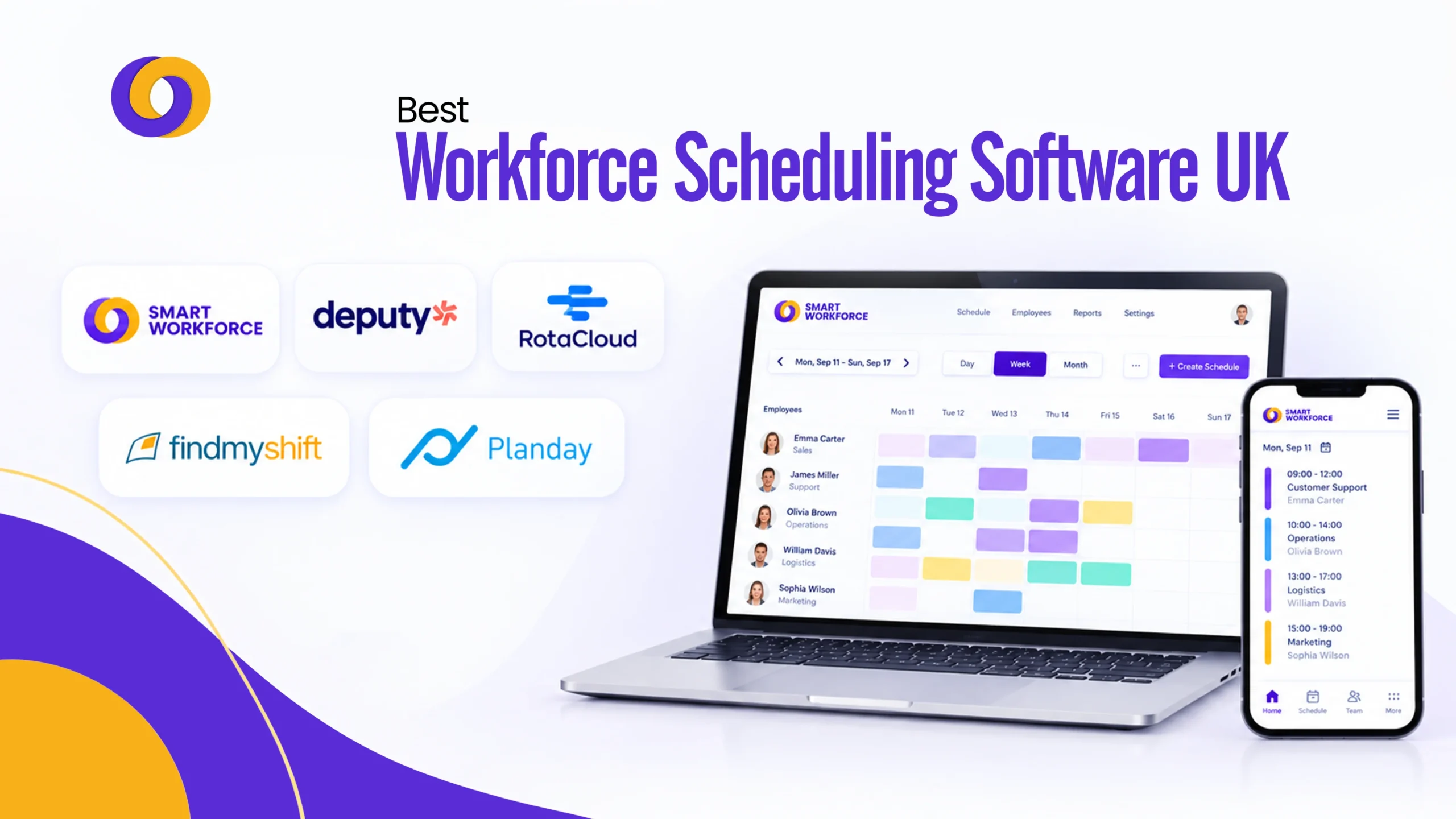
TL;DR
- Manual rotas cost time and money. A missed shift means overtime elsewhere or a client left uncovered. Workforce scheduling software fixes this by centralising shift planning, attendance, and coverage.
- Adoption peaks at 10-15 staff. That’s when shift swaps, sickness cover, and holiday requests outgrow manual tracking.
- Smart Workforce leads for UK compliance-heavy teams. It combines scheduling with GPS-verified attendance, facial recognition clock-in, BS7858 vetting, and lone worker safety. Free for up to 10 staff; £5/user/month Premium.
- Pricing splits into three tiers. Free entry plans (under 10 staff), per-user subscriptions (£2-10/user/month), and quote-based enterprise pricing.
- Watch for hidden add-ons. Time and attendance, SMS notifications, and advanced reporting are often billed separately from core scheduling.
- Match the platform to your operation. A five-person cafe rarely needs certification tracking. A hundred-site retail chain can’t tolerate a flat-rate tool with no payroll integration.
- Confirm currency before comparing. Several platforms quote in USD by default. Check the GBP rate on UK pricing pages before comparing against UK-native platforms.
Manual rotas cost time. They cost money too. A missed shift means overtime somewhere else, or a client left uncovered. Workforce scheduling software fixes this by putting shift planning, attendance, and coverage in one place.
This guide ranks the ten best platforms available to UK businesses in 2026. Smart Workforce takes the top spot, built specifically for UK operators who need scheduling, attendance, and compliance together.
What Is Workforce Scheduling Software?
Workforce scheduling software is a digital tool for building, publishing, and managing staff shifts. It replaces spreadsheets, paper rotas, and group chats. Staff see their shifts through a mobile workforce management app. Managers see coverage gaps before they become a problem.
Most businesses adopt it once manual scheduling starts eating real hours each week. That tipping point usually arrives around ten to fifteen staff, once shift swaps, sickness cover, and holiday requests pile up faster than one person can track by hand.
The category has matured fast. Where early tools offered little more than a digital grid, most platforms below now layer in automation, compliance tracking, and payroll integration as standard, not as premium extras bolted on later.
Best Workforce Scheduling Software
The best workforce scheduling software matches your team size, compliance requirements, and operational complexity, not just the longest feature list. Here is the detailed list of the solutions:
1. Smart Workforce
Overview: Smart Workforce is a UK-built workforce management system designed for security firms and field-based teams, though its scheduling core works for any shift-based operation.
Key Features:
- Rostering and shift scheduling: Drag-and-drop rota builder with instant mobile publishing
- GPS-verified attendance: Confirms staff are on-site when they clock in, preventing time fraud
- Facial recognition clock-in: Touchless, accurate attendance verification
- Leave management: Request, approve, and track all types of leave from one dashboard
- Live coverage dashboard: Managers see staffing levels across every site in real time
- Incident tracking: Digital reporting with photo and video evidence
- BS7858 staff vetting: Track screening status and expiry dates
- Lone worker safety: Automated check-ins, panic alerts, and fall detection
Benefits:
- Eliminates buddy punching and time theft
- Reduces admin time by up to 70 percent through automation
- Provides audit-ready compliance evidence for client and SIA inspections
- Ensures no coverage gaps go unnoticed
- Purpose-built for UK security and field operations
Pricing: Free for up to 10 staff on the Starter plan. Premium at 5 pounds per user, per month for up to 50 staff. Enterprise pricing is custom.
Best for: UK teams needing scheduling, verified attendance, and compliance in a single platform.
2. Workforce.com
Overview: Workforce.com connects scheduling directly to time tracking, HR, and payroll. It suits mid-sized and larger businesses running shift-based operations across multiple sites.
Key Features:
- Demand-driven scheduling: Adjusts staffing levels based on predicted footfall and sales data
- Time and attendance tracking: Real-time visibility of who is working and when
- Payroll integration: Hours flow directly to payroll, reducing manual data entry
- HR management: Employee records, onboarding, and compliance in one system
- Labour cost forecasting: Predict labour spend and control budgets
- Multi-site management: Centralised visibility across all locations
Benefits:
- Reduces overstaffing and understaffing through accurate demand forecasting
- Eliminates payroll errors from manual timesheet entry
- Provides real-time labour cost visibility for better budget control
- Scales across multiple sites without adding administrative complexity
- Integrates HR and payroll, removing data silos
Pricing: Quote-based, reflecting its enterprise positioning.
Best for: Mid-market and enterprise businesses wanting scheduling tied directly to payroll and HR.
3. Deputy
Overview: Deputy is one of the most widely used employee scheduling software platforms globally, trusted across hospitality, retail, and care.
Key Features:
- AI-powered auto-scheduling: Automatically builds rotas based on demand, skills, and availability
- Demand forecasting: Predicts busy periods and recommends staffing levels
- Shift swapping and leave management: Staff self-service for swaps and time-off requests
- Time and attendance: GPS-verified clock-in and clock-out with photo verification
- Payroll integration: Connects with Xero, QuickBooks, and ADP
- Task management: Assign and track daily tasks alongside shifts
- Mobile app: Full scheduling and communication from smartphones
Benefits:
- Reduces manager admin time through automated scheduling
- Improves labour cost control with demand-based forecasting
- Increases employee satisfaction through self-service shift swaps
- Eliminates buddy punching with GPS and photo verification
- Scales from small teams to multi-site operations
Pricing: From 3.25 pounds per user, per month. Free trial available.
Best for: Multi-location businesses wanting predictive, automated scheduling.
4. Humanity
Overview: Humanity, now part of TCP Software, focuses on complex scheduling with certification tracking, built for healthcare and multi-industry environments with compliance depth.
Key Features:
- Certification-aware scheduling: Tracks qualifications and ensures only certified staff are assigned to shifts
- Qualification expiry alerts: Automated reminders when certifications are due to expire
- Shift eligibility rules: Prevents staff from being scheduled for shifts they are not qualified for
- Auto-scheduling: Builds rotas based on availability, skills, and compliance requirements
- Time and attendance: Clock-in and clock-out with GPS verification
- Leave management: Request, approve, and track all types of leave
- Multi-location support: Manage complex schedules across multiple sites
Benefits:
- Reduces compliance risk by ensuring only qualified staff are scheduled
- Eliminates scheduling errors that could compromise safety
- Saves time by automating certification tracking and alerts
- Provides audit trails for healthcare and regulated sectors
- Handles complex shift patterns and eligibility rules
Pricing: From roughly 2 pounds per user, per month, with a minimum monthly charge.
Best for: Businesses needing certification-aware, compliance-heavy scheduling.
5. RotaCloud
Overview: RotaCloud is a UK-built platform focused on rota planning and shift swapping.
Key Features:
- Drag-and-drop rota builder: Simple visual interface for creating rotas
- Shift swapping: Staff can swap shifts directly through the app
- Leave management: Request and approve annual leave, sick leave, and other absence
- Time and attendance: Separate flat add-on for clock-in and clock-out tracking
- Payroll integration: Exports hours to payroll systems
- Mobile app: Staff view rotas, request leave, and swap shifts from their phones
- Care sector integrations: Connects with Person Centred Software and StoriiCare
Benefits:
- Very easy to set up and use for small teams
- Reduces manager admin through self-service shift swaps
- UK-native support and compliance features
- Affordable entry point for small businesses
- Strong fit for care providers with existing software ecosystems
Pricing: From 10 pounds per month for up to five employees, scaling by headcount band. Time and attendance is a 4.50 pound flat add-on.
Best for: UK small businesses and care teams wanting straightforward, UK-native rota planning.
6. Planday
Overview: Planday combines scheduling, time tracking, and team messaging, with a strong following in hospitality and multi-site retail.
Key Features:
- Shift scheduling: Build and publish rotas from a visual interface
- Time tracking: GPS-verified clock-in and clock-out
- Team messaging: Built-in communication for shift changes and announcements
- Shift swapping: Staff can request swaps through the app
- Leave management: Request and approve time off
- Payroll integration: Exports hours to payroll
- Multi-site management: Centralised visibility across locations
Benefits:
- Combines scheduling and communication in one tool
- Reduces reliance on group chats for shift coordination
- Improves staff satisfaction through self-service swaps
- Provides real-time labour cost visibility
- Simple, affordable for growing teams
Pricing: From roughly 2 pounds per user, per month on the entry tier, with a five-user minimum.
Best for: Shift-based hospitality and retail teams wanting scheduling and communication together.
7. When I Work
Overview: When I Work is a fast-to-deploy scheduling and messaging tool, popular with small hourly teams.
Key Features:
- Self-service shift pickup: Staff can claim open shifts without manager involvement
- Scheduling: Drag-and-drop rota builder with mobile publishing
- Team messaging: Built-in chat for shift updates and announcements
- Time and attendance: Clock-in and clock-out tracking
- Availability management: Staff submit availability; managers schedule accordingly
- Payroll integration: Exports hours to payroll
Benefits:
- Reduces manager back-and-forth through self-service shift coverage
- Fast deployment with minimal setup time
- Affordable for small hourly teams
- Free tier available for teams under 75 people
- Improves staff engagement through autonomy
Pricing: From roughly 1.50 to 2.50 pounds per user, per month. Free tier for small teams under 75 people.
Best for: Small businesses wanting simple, self-service shift coverage.
8. Findmyshift
Overview: Findmyshift keeps things minimal. Drag-and-drop scheduling, a short learning curve, and a genuinely free plan for up to five staff make it approachable for very small teams.
Key Features:
- Drag-and-drop scheduling: Simple visual rota builder
- Free plan: Up to five staff at no cost
- Time and attendance: Basic clock-in and clock-out tracking
- Leave management: Request and approve time off
- Staff notifications: SMS and email alerts for shift changes
- Mobile access: Staff view rotas on their phones
Benefits:
- Simplest possible scheduling tool for very small teams
- Free plan removes cost barrier for micro-businesses
- Short learning curve, no training required
- Flat monthly pricing, not per user, suits stable teams
- Reduces admin time for basic rota management
Pricing: Paid plans run at a flat monthly rate rather than per user.
Best for: Very small teams wanting the simplest possible staff rota software.
9. BrightHR
Overview: BrightHR bundles scheduling inside a broader HR platform, covering absence management, HR documentation, and rota planning together.
Key Features:
- Rota planning: Build and publish staff schedules
- Absence management: Track sick leave, annual leave, and other absence
- HR documentation: Contracts, policies, and employee records in one place
- Compliance tools: UK employment law guidance and templates
- Time and attendance: Clock-in and clock-out tracking
- Employee self-service: Staff request leave and view schedules via app
- 24-hour HR advice line: Phone support for HR queries
Benefits:
- Combines HR and scheduling under one login
- Reduces need for separate systems
- UK-specific HR and compliance support
- Saves time on HR admin with templates and guides
- Access to professional HR advice when needed
Pricing: Scales with headcount, with per-employee costs typically dropping at higher volumes.
Best for: Businesses wanting HR and scheduling combined rather than a standalone scheduler.
10. Connecteam
Overview: Connecteam splits scheduling, team chat, and HR into separate modules, or “hubs.” It works well for small teams, though realistic cost climbs once more than one hub is needed.
Key Features:
- Scheduling hub: Drag-and-drop rota builder with shift swaps
- Time tracking hub: GPS clock-in and clock-out
- Team chat hub: Built-in communication tools
- HR hub: Employee records, documents, and onboarding
- Task management: Assign and track daily tasks
- Forms and checklists: Digital forms for inspections and reporting
- Training hub: Create and assign training courses
Benefits:
- Modular pricing lets small teams start with one hub
- All-in-one communication and scheduling for deskless teams
- Reduces app switching with integrated tools
- Scales as team grows by adding hubs
- Strong for field and deskless workers
Pricing: Entry pricing starts low; confirm exactly which hubs are included before comparing against single-price competitors.
Best for: Small teams wanting scheduling alongside built-in team communication tools.
Comparison Table: 10 Best Workforce Scheduling Software in the UK
| Rank | Provider | Best For | Starting Price |
|---|---|---|---|
| 1 | Smart Workforce | Scheduling, attendance, and compliance combined | Free (up to 10 staff); 5 pounds per user per month Premium |
| 2 | Workforce.com | Enterprise scheduling tied to payroll and HR | Quote-based |
| 3 | Deputy | AI-assisted multi-location scheduling | From 3.25 pounds per user per month |
| 4 | Humanity | Certification-aware, compliance-heavy scheduling | From around 2 pounds per user per month, minimum charge applies |
| 5 | RotaCloud | UK small business and care sector rotas | From 10 pounds per month (up to 5 staff) |
| 6 | Planday | Hospitality and retail scheduling with messaging | From around 2 pounds per user per month |
| 7 | When I Work | Simple, self-service shift coverage | From around 1.50 to 2.50 pounds per user per month |
| 8 | Findmyshift | Minimalist scheduling for very small teams | Free (up to 5 staff); flat-rate paid plans |
| 9 | BrightHR | Combined HR and scheduling | Scales with headcount |
| 10 | Connecteam | Scheduling plus team communication | Low entry price, hub-based add-ons |
Key Features of Strong Workforce Planning Software
Not every platform above solves the same problem equally well. Before choosing, weigh these core capabilities.
| Feature | Why It Matters |
|---|---|
| Mobile-first shift publishing | Staff see rotas instantly, fewer missed shifts |
| Automated conflict detection | Flags double-bookings before they cause coverage gaps |
| Shift swap and open shift tools | Reduces manager admin, gives staff flexibility |
| Payroll and time tracking integration | Cuts manual data entry and calculation errors |
| Demand-based forecasting | Matches staffing to predicted footfall or workload |
| Compliance tracking | Reduces risk around Working Time Regulations and rest breaks |
Automated Workforce Scheduling: What It Actually Solves
Automated workforce scheduling uses historical data, availability, and business rules to build draft rotas automatically, rather than a manager building each shift from scratch. It does not remove human oversight. It removes the repetitive first draft, leaving managers to review and adjust rather than start from a blank grid every week.
This matters most for businesses with variable demand. A retailer with predictable weekend spikes, or a security contractor covering multiple client sites, benefits far more from automation than a small office with a fixed nine-to-five pattern.
Employee Shift Scheduling Software vs General Workforce Management
Employee shift scheduling software typically focuses narrowly on building and publishing shift patterns. Broader workforce management software usually extends further, adding HR records, payroll, vetting, or performance data alongside the rota itself. Several platforms in this list, including Smart Workforce and Workforce.com, sit closer to the broader category, while tools like Findmyshift and When I Work stay closer to scheduling alone.
For security-specific platforms that bundle vetting and patrol tracking alongside scheduling, see our guide to the best duty management software. If the priority is pure rota building without the wider feature set, our guide to the best rota management software compares dedicated options.
Choosing by Business Size
Business size changes which employee scheduling system actually fits. A five-person cafe rarely needs certification tracking or demand forecasting. A hundred-site retail chain rarely tolerates a flat-rate tool with no payroll integration.
| Business Size | Recommended Fit |
|---|---|
| 1 to 10 staff | Findmyshift, When I Work, or Smart Workforce free tier |
| 10 to 50 staff | Smart Workforce, RotaCloud, Planday, or Deputy |
| 50 to 250 staff | Deputy, Humanity, or Workforce.com |
| 250+ staff, multi-site | Workforce.com or Smart Workforce Enterprise |
What UK Buyers Should Check Before Signing
Before committing to any shift management software, confirm three things directly with the provider. First, whether time and attendance is included or billed separately, since several platforms on this list price it as an add-on.
Second, whether pricing is per-user or banded by headcount tier, since the two models scale very differently as a team grows. Third, whether UK-specific compliance features, rest break rules and Working Time Regulations tracking among them, come built in rather than requiring manual configuration.
Workforce Scheduling Software Cost
Pricing splits into three broad tiers. Free entry plans suit teams under ten staff testing the category for the first time. Per-user subscriptions, typically 2 to 10 pounds per person, per month, suit growing teams where cost should scale with headcount. Quote-based enterprise pricing suits larger organisations wanting bundled modules, dedicated support, and custom configuration.
Watch for add-ons before comparing headline prices. Time and attendance, SMS notifications, and advanced reporting are frequently billed separately from the core scheduling fee, which can make two similarly priced platforms cost very differently once every feature a team actually needs is included.
Currency matters too. Several platforms popular in the UK quote pricing in US dollars by default, since many were built for the American market first. Always confirm the GBP rate directly on a provider’s UK pricing page before comparing it against a UK-native platform’s published pound sterling figures.
Final Thoughts
The right platform depends on team size and how much compliance weight the rota needs to carry. Smart Workforce tops this list because it pairs scheduling with verified attendance and compliance features most generic tools skip entirely. Smaller, simpler teams may do just as well with a lighter option like Findmyshift or When I Work. Match the platform to the operation, not the longest feature list.
Ready to simplify scheduling, attendance, and compliance in one platform?
Smart Workforce is built for UK teams that need more than a basic rota tool, combining GPS-verified attendance, facial recognition clock-in, leave management, incident reporting, and BS7858 vetting in a single system.
See how Smart Workforce works for your team: book a free demo
Frequently Asked Questions
What is workforce scheduling software?
It is a digital tool for building, publishing, and managing staff shifts. It replaces manual rotas and spreadsheets, giving managers a live view of coverage and letting staff check shifts on mobile.
How does workforce scheduling software work?
Managers build shifts using templates, staff availability, and demand data. Schedules publish to a mobile app. Staff view shifts, request swaps, and receive updates automatically when changes are made.
What are the benefits of workforce scheduling software?
It reduces admin time, prevents double-booking, and cuts unfilled shifts. Staff gain visibility over their own rota. Managers gain reporting data that supports payroll accuracy and labour cost control.
What features should workforce scheduling software have?
Look for mobile publishing, automated conflict detection, shift swap tools, payroll integration, and compliance tracking. Growing or multi-site teams should also prioritise demand forecasting and reporting depth.
What is the difference between workforce and employee scheduling software?
Employee scheduling typically covers shift building alone. Workforce management software is broader, often bundling HR records, payroll, vetting, or attendance verification alongside the core scheduling function.
Can workforce scheduling software automate shift planning?
Yes. Automated scheduling tools use historical data and availability rules to generate draft rotas, which managers then review and adjust rather than building each shift manually from scratch.
Can employees manage their availability through scheduling software?
Yes. Most platforms let staff set availability, request time off, and pick up open shifts directly through a mobile app, reducing back-and-forth with managers over text or phone calls.
Does workforce scheduling software integrate with time and attendance systems?
Most established platforms do, either natively or as a paid add-on. Integration syncs verified clock-in data directly with scheduled shifts, reducing manual timesheet entry and payroll errors.
How much does workforce scheduling software cost?
Pricing ranges from free entry tiers to roughly 2 to 10 pounds per user, per month for standard platforms. Enterprise systems with payroll and HR bundled in are typically quote-based.
What is the best workforce scheduling software for small businesses?
Smart Workforce’s free Starter plan, Findmyshift, and When I Work all suit small teams well, offering core scheduling without the cost or complexity larger, multi-site platforms are built for.

0 Comments